Is 16GB RAM Enough for Gaming in 2026?When it's fine, when it breaks, and whether the price premium makes sense right now
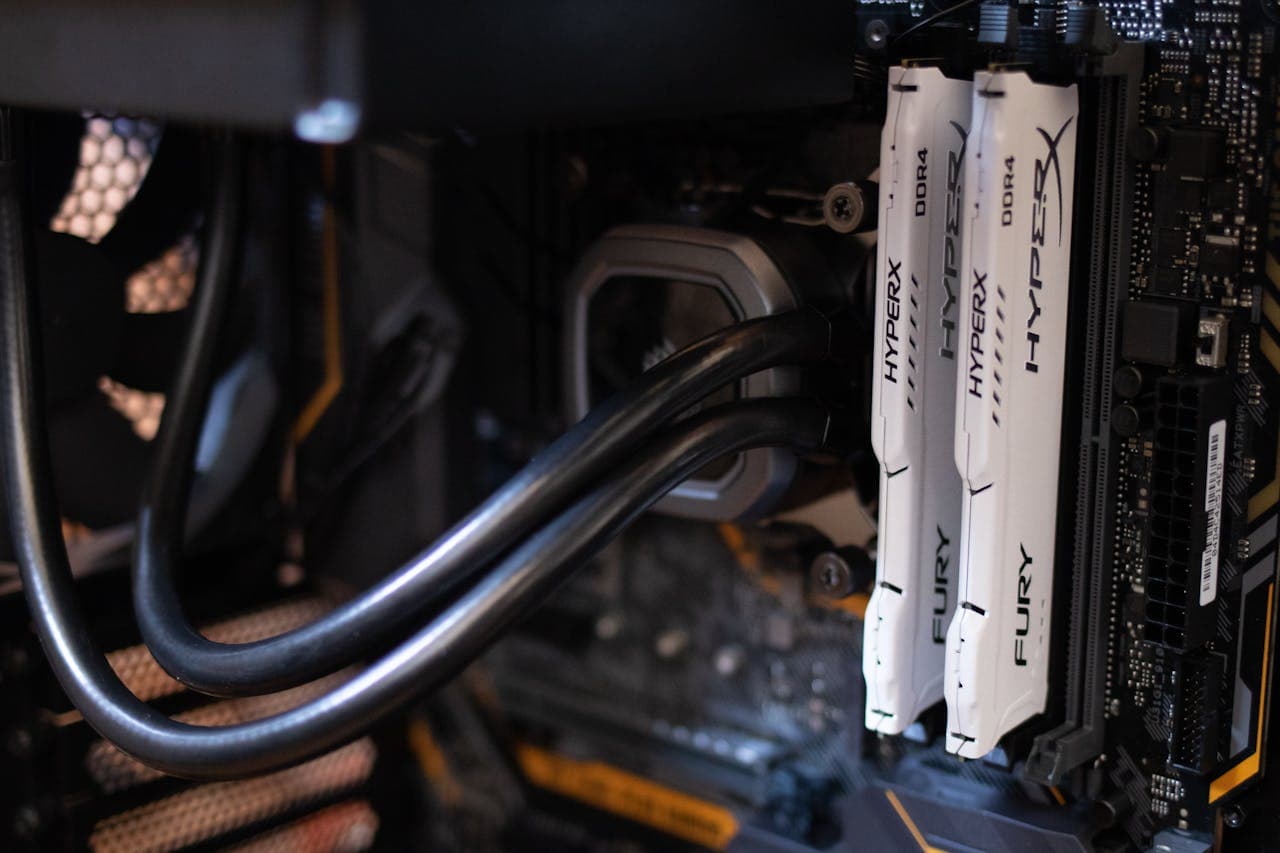
I've seen people spend $400 on a new GPU to fix stutters that disappeared the moment they upgraded their RAM. The benchmark videos all show similar average FPS between 16GB and 32GB — so gamers assume RAM doesn't matter. But average FPS is the wrong number to look at. The stutters happen in the 1% lows, when your system runs out of headroom and starts frantically swapping game data to your SSD. That's what makes the game feel broken even when Task Manager says your GPU is only at 70%.
The answer to whether 16GB is enough in 2026 isn't a simple yes or no — it depends on what you play and what you leave running in the background. But the line is clearer than most people realise, and once you understand where it falls, the decision becomes obvious.
What This Guide Covers
1. The Direct Answer
If you only play esports titles — Valorant, CS2, League of Legends, Fortnite — 16GB is fine in 2026. Close your browser tabs before launching, and you'll be okay. But if you play AAA games from 2023 onwards, keep Discord or a browser open while gaming, or stream your sessions, 16GB is no longer the comfort zone. The stutter you're blaming on your GPU or CPU is often your system hitting the RAM ceiling and paging to your SSD. 32GB eliminates that. Whether to upgrade right now is a different question — RAM prices have nearly tripled since mid-2025, and that changes the math.
The core issue is headroom. Windows 11 idles at 4–7GB depending on your installed software. That leaves 9–12GB for everything else on a 16GB system. Esports titles — Valorant, CS2, League, Fortnite, Rocket League — use 3–5GB at runtime. That still leaves a comfortable buffer. Open-world AAA games from 2023 onwards are a different story: games like Cyberpunk 2077, Hogwarts Legacy, and Starfield routinely push total system memory usage past 16GB the moment you add a browser tab or Discord. When that happens, Windows starts moving data to your page file — which means reading from your SSD at speeds roughly ten times slower than RAM. That's the stutter.
The good news is that the diagnostic is free. If you're unsure whether 16GB is your actual problem, you don't need to spend anything to find out — but more on that in the final section.
2. Why Average FPS Lies to You
Most 16GB vs 32GB benchmark comparisons show nearly identical average FPS — and that's technically accurate. In NoobFeed's 2026 testing, Call of Duty Black Ops 7 at 1080p returned 149fps on 16GB and 156fps on 32GB — a difference of under 5%. At 1440p that gap widened slightly to 166fps versus 177fps, still within 7%. Cyberpunk 2077 showed average FPS that were nearly identical across both configs. If all you look at is average FPS, 16GB looks fine.
Think of average FPS as top speed and 1% lows as the sharp corners. A car can have a high top speed but if it handles poorly at corners it's unpleasant to drive. A game can post a healthy 100fps average while feeling completely unplayable if the 1% lows are spiking to 20fps every few seconds. That's exactly what paging does. When your system runs out of RAM headroom, Windows moves the least-recently-used data to your page file on the SSD. DDR4 RAM operates at roughly 40–50GB/s. Your SSD — even a fast NVMe — reads at around 3–7GB/s. That's a speed gap of more than 10x. When the game needs data that's been moved to the SSD, it has to wait. The result is a frame-time spike that shows up as a hard stutter: the kind that feels like the game froze for half a second, even though Task Manager's GPU counter looks perfectly normal.
The ARC Raiders data illustrates this well. Average FPS was actually slightly higher on the 16GB config, but 32GB delivered better 1% lows — because the 16GB system was occasionally hitting the ceiling and recovering, while the 32GB system never hit the ceiling at all. If you've ever looked at your MSI Afterburner overlay and seen your GPU sitting at 65–70% while the game stutters, paging is often the explanation. The GPU isn't the bottleneck. Your RAM ceiling is.
3. The Two Types of Gamers — Who 16GB Still Works For
A lot of upgrade content talks 16GB users into a purchase they don't need. If your entire gaming library is esports titles — Valorant, CS2, League of Legends, Fortnite, Rocket League — 16GB is genuinely fine in 2026. These games run at 3–5GB RAM usage. Even with Windows overhead eating 4–6GB, you have a comfortable buffer. I've run these games on 16GB systems with Discord and Spotify both open and Task Manager never breaches 70%.
The same applies to older or well-optimised single-player titles. Games from 2020 and earlier were built on lower RAM assumptions, and most of them run comfortably within the 16GB envelope even with background apps present. Elden Ring, most story-driven games pre-2023, and titles that were designed for the previous console generation don't push system memory past 14–15GB under real gaming conditions.
There's also a budget reality to acknowledge. If you can't afford 32GB right now — especially at mid-2026 prices — 16GB still runs most games. "Not optimal" is different from "broken." If you're managing background apps carefully, keeping Chrome closed during sessions, and not streaming, 16GB stretches further than the stutter complaints online suggest. The people posting about 16GB problems are almost always running it as a multitasking platform, not as a dedicated gaming machine with a clean background. If you're genuinely disciplined about what you leave running, holding off until prices come down is a reasonable call.
4. Where 16GB Breaks Down in 2026
The failure point is consistent: open-world AAA games from 2023 onwards, combined with any background app load. Hogwarts Legacy, Cyberpunk 2077, and Starfield all push total system memory usage past 16GB when Windows overhead is included. Monster Hunter Wilds and Dragon's Dogma 2 specifically benefit from 32GB — TechRadar cited both as titles where 16GB causes measurable stutter. Microsoft Flight Simulator 2024 officially recommends 32GB as its minimum, which signals where the industry's baseline is heading. Mafia: The Old Country is pushing 18–20GB total usage. As Unreal Engine 5 titles proliferate, this trend isn't slowing down.
The multitasking scenario is where 16GB fails most visibly. A typical background load for a modern gamer looks like this: Chrome with 3–4 tabs open uses 2–4GB on its own. Discord adds another 300–600MB. RGB control software, Steam overlay, Xbox Game Bar, and a GPU monitoring utility each take another 100–200MB. Before the game even launches, you might already be at 6–8GB. Launch a game like Starfield or Hogwarts Legacy into that environment and you're immediately in paging territory. The game might load fine and run fine in a small area — then you fast-travel to a new zone, the streaming system tries to load new assets, and your system reaches for the page file. That's the freeze you've been trying to diagnose for months.
Streaming makes this worse. OBS needs buffer space to encode a video stream in real time. Running OBS at 1080p60 with x264 encoding alongside an AAA game on a 16GB system is a recipe for dropped frames and encoding errors — not because your CPU or GPU can't handle it, but because memory pressure forces the encoder to wait. If you're streaming and on 16GB, that's the first thing I'd fix before looking at any other component.
The RAM vs GPU decision gets complicated fast when you're experiencing stutter. A lot of people buy a GPU assuming it will fix stutters that are actually caused by paging. Check Task Manager's memory tab during one of those freezes before you spend anything on a new GPU.
5. The RAM Price Reality in 2026 — This Changes the Upgrade Math
Here's what complicates the upgrade advice considerably: RAM prices have nearly quadrupled in the past year. A 32GB DDR4-3200 kit (2×16GB) cost around $47 in May 2025. Club386 tracked that same Corsair Vengeance LPX kit hitting $262.99 by January 2026. Current street pricing in mid-2026 puts 32GB DDR4 kits at $180–$260. DDR5 32GB kits are running $329–$440 according to Tom's Hardware's 2026 RAM price index. Meanwhile, 16GB DDR4 kits sit at $115–$155. The gap between tiers is enormous by historical standards.
The cause is structural. AI data centre demand for HBM (High Bandwidth Memory) has pulled manufacturing capacity away from conventional DRAM. The shortage is expected to last at least through Q4 2027. This isn't a temporary blip — it's a multi-year supply constraint, and prices reflect that. Nobody is paying $262 for a RAM kit that cost $47 eighteen months ago because demand for gaming RAM spiked. They're paying it because supply is constrained elsewhere in the memory supply chain.
I wouldn't buy DDR4 at these prices unless I was experiencing actual stutter I couldn't fix otherwise. If your Task Manager shows you're using 70–75% of your RAM during gaming and things feel smooth, waiting a year or two for prices to normalise is smarter than paying peak prices for a marginal benefit. But if you're genuinely at 90–95% during sessions and experiencing real frame-time spikes, the premium is worth paying — a stuttering game doesn't become playable by waiting for cheaper RAM.
This price environment also changes the calculus for new builds. If you're putting together a new system, 32GB should be your baseline — but buy a 32GB kit (2×16GB) rather than starting with a single stick, so you're in dual-channel from day one. Going 16GB on a new build in 2026 to save $65 is a false economy if you're planning to upgrade in 12 months at prices that might be even higher.
6. The Free Check Before You Spend Anything
Before you spend a cent on RAM, do this: launch the game that's causing problems, play for fifteen minutes until you've reproduced the stutter, then Alt+Tab and open Task Manager. Click Performance, then Memory. You're looking for two things: total usage as a percentage, and the number of slots used.
If memory usage is under 80%, RAM is almost certainly not your problem. At 60–70% utilisation during gaming, upgrading to 32GB will do nothing noticeable. The stutter is coming from somewhere else — check GPU temperatures in MSI Afterburner, look for thermal throttling above 90°C, or investigate whether you're in single-channel mode if you're not sure how your RAM is configured.
If Task Manager shows you're running a single stick — "Slots used: 1 of 2" or "1 of 4" — that is your first move before buying a full new kit. A single 16GB stick runs in single-channel mode. Adding a matched second stick moves you to dual-channel and nearly doubles your memory bandwidth at zero capacity cost. This alone fixes a class of stutters in games that are sensitive to memory bandwidth. It also costs meaningfully less than buying a full new 32GB kit — adding a second matched stick runs $60–80 less than a new kit, and you get the dual-channel benefit immediately. Check your existing stick's model number in CPU-Z before ordering to match speed and timings.
If usage is consistently 85–90% or above during gaming and you're already running 2×8GB in dual-channel, that's a genuine upgrade case. The system is hitting the ceiling. At that point, whether you upgrade to 32GB comes down to what you play and whether the stutter bothers you enough to justify current prices. The full RAM upgrade compatibility checklist covers DDR4 vs DDR5 identification, slot configuration, and XMP/EXPO setup — run through that before ordering anything to make sure what you buy will actually work in your board.
If you're building new or deciding between capacity tiers from scratch, the tier-by-tier capacity guide covers 8GB through 64GB with current pricing context and use-case rulings for every budget.
Frequently Asked Questions
Will upgrading from 16GB to 32GB increase my FPS?
In most games, the average FPS improvement is small — usually under 10%. In NoobFeed's 2026 testing, Call of Duty Black Ops 7 at 1080p went from 149fps to 156fps — a 5% difference not worth chasing on its own. The real gain is in 1% lows and stutter elimination. If your game feels choppy but your GPU usage looks normal in MSI Afterburner, RAM is likely the culprit. Upgrading to 32GB removes the paging bottleneck and makes the frame-time graph flat rather than spikey.
Is 16GB DDR5 better than 32GB DDR4 for gaming?
For most gaming scenarios, 32GB DDR4 beats 16GB DDR5. Capacity matters more than speed once you hit the ceiling — and 16GB in 2026 hits that ceiling in open-world AAA titles. The exception is if you're on a platform where DDR5 speeds deliver measurable gains (AM5 / Intel 12th gen onwards), and your game library is all esports titles that never pressure 16GB. For a mixed library with AAA games, 32GB DDR4 at DDR4-3600 is a better choice than 16GB DDR5 at 6000MT/s.
Can I just add one 16GB stick to my existing single 16GB stick?
Yes, and this is often the right first move. Adding a second matched 16GB stick costs less than buying a full 32GB kit from scratch, and gets you into dual-channel at the same time — a meaningful bandwidth improvement. The key: get the same brand, model, and speed as your existing stick where possible. Mismatched sticks can cause instability or force the system to run at the slower speed. Check your current stick's model number in CPU-Z before ordering.
My game is stuttering. Is it definitely RAM?
Not necessarily. Before assuming RAM, open Task Manager while gaming and check memory usage. If it's under 80%, RAM is probably not the problem. Check GPU temperature in MSI Afterburner — thermal throttling at 90°C+ looks identical to a RAM stutter. Also check if you're running a single stick in single-channel mode — that alone can cause stutters in memory-bandwidth-sensitive games. Only if memory usage is consistently above 85–90% during the stutter should you treat RAM as the primary cause.
Should I wait to upgrade RAM given the current prices?
If your games feel smooth and your Task Manager shows memory usage comfortably under 85% while gaming, yes — wait. RAM prices are near historic highs in mid-2026 and the shortage is expected to last through 2027. Buying at peak isn't smart unless you're experiencing genuine stutter you've confirmed is RAM-related. If you are experiencing stutter and RAM is the confirmed cause, the price premium is worth it — stutters don't go away while you wait for prices to drop.
What to Read Next
- Should You Upgrade Your RAM? → Before you buy, run the full compatibility checklist: DDR4 vs DDR5 identification, slot count, dual-channel pairing, and XMP/EXPO setup.
- Upgrade RAM or GPU First? → If you're deciding whether to put your budget toward RAM or a new GPU, this walks through the 16GB threshold rule and five specific user-profile verdicts.
- How Much RAM Do You Need in 2026? → If you're building new and deciding between capacity tiers, this covers 8GB / 16GB / 32GB / 64GB with use-case rulings and current pricing context.
- Is 32GB RAM Worth It for Gaming in 2026? → Once you've confirmed 16GB is the floor, this answers whether doubling to 32GB delivers real results — and which game types are the deciding factor.
- Why RAM is so expensive right now (and what to do about it) → The 2026 memory shortage explained, with a clear buy-now-or-wait framework.
- Are GPU prices about to rise because of the RAM shortage? → If VRAM prices are affecting your RAM decision, they're affecting GPU pricing too — here's the buying-timing picture.
- RTX 5060 Ti 16GB vs 8GB: Is the VRAM Upgrade Worth It? → A concrete example of VRAM (not system RAM) determining real-world performance, with the exact FPS gap by resolution.