Should You Upgrade Your RAM?The compatibility and buying guide — including the free fix most people miss
What This Guide Covers
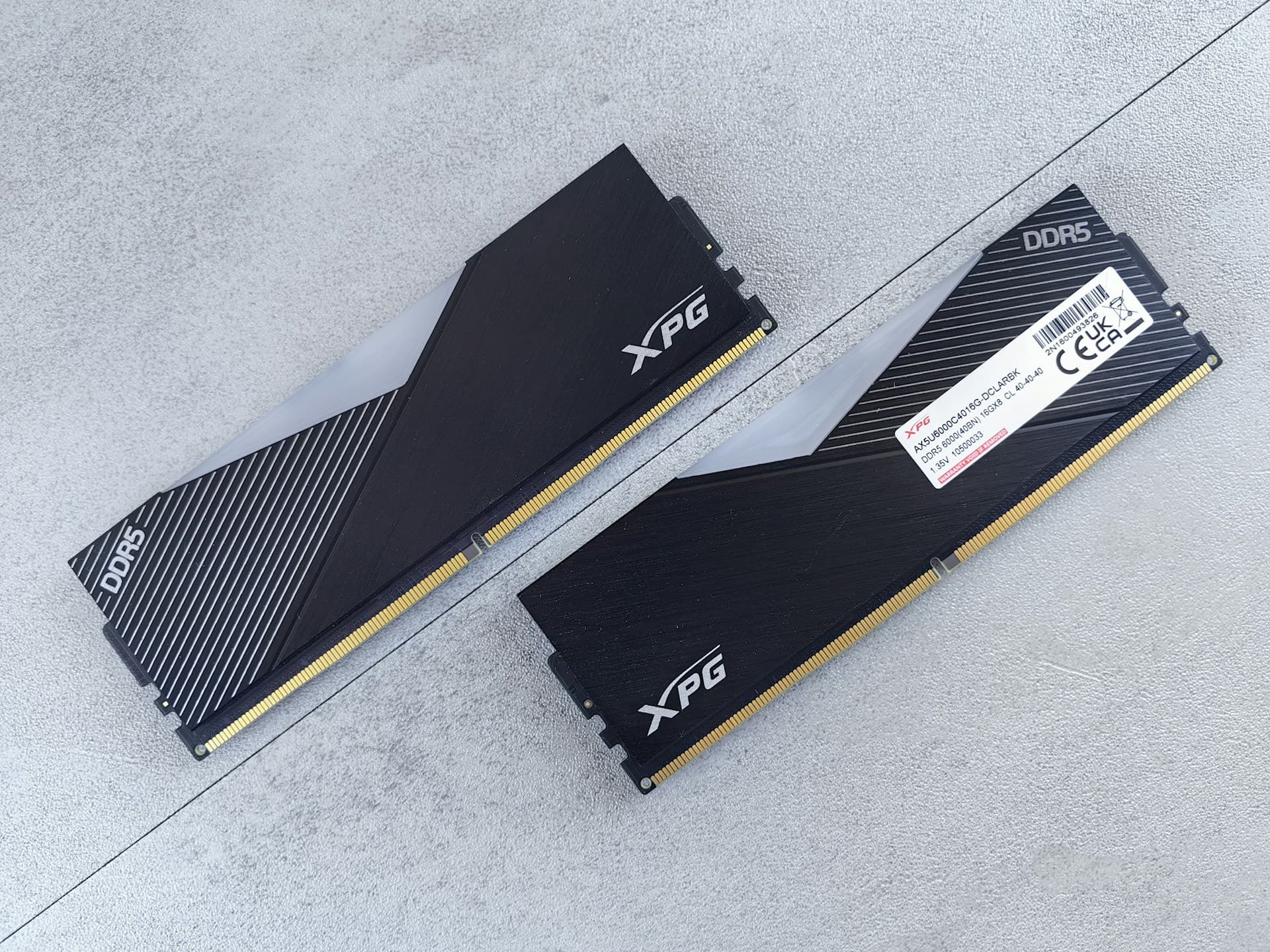
Before you order anything, open CPU-Z and check one number: the DRAM Frequency in the Memory tab. If your DDR5-6000 kit is showing 2400MHz, you're running at DDR5-4800 — about 20% slower than what you paid for. XMP was never enabled. That's not a hardware problem. That's a BIOS setting, and fixing it is free and takes two minutes. I've told probably a dozen people about this after they asked why their new RAM didn't feel any faster.
Before any of that: if your DDR5 kit is showing 2400MHz in CPU-Z and you've never touched your BIOS, stop reading and go enable XMP right now — Section 1 covers exactly how. If your RAM is already running at rated speed, the rest of this guide will walk you through every compatibility check in order.
1. XMP/EXPO — Do This Before Ordering Anything
Every RAM kit ships with slow JEDEC default speeds baked in. A DDR5-6000 kit defaults to DDR5-4800. A DDR4-3600 kit defaults to DDR4-2133. The manufacturer sets these conservative defaults because they're guaranteed to work on any compatible board, no matter how old or finicky. The problem is that plenty of people never switch them off.
XMP (Intel) and EXPO (AMD) are pre-tested profiles stored on the RAM stick itself. Enabling them in BIOS tells your motherboard to run at the rated speed. The process: reboot, press Delete or F2 to enter BIOS, find the XMP or EXPO toggle (usually on the first screen or under an AI Overclocking section), enable it, and save. That's it. On AMD AM5 platforms, also look for EXPO — it's AMD's equivalent and serves the same purpose.
Check this before concluding you need more RAM
If your RAM is running at JEDEC default speeds, enabling XMP/EXPO can produce a 10–15% improvement in memory-intensive tasks at zero cost. Run CPU-Z, note the DRAM Frequency, multiply by two, and compare to your kit's rated speed. If the numbers don't match, XMP isn't on. The risk is zero — if the system becomes unstable, you revert the BIOS setting and nothing has changed.
2. DDR4 or DDR5 — Run This Check Before Buying
DDR4 and DDR5 are physically incompatible. The notch on the stick is in a different position, which means a DDR5 stick will not fit in a DDR4 slot regardless of how hard you push. Buying the wrong type is the most expensive RAM mistake you can make, and it happens more often than it should.
To check what you have: open CPU-Z (download from cpuid.com, free), click the Memory tab, and look at the Type field. It will say DDR4 or DDR5. That's the only type your board accepts.
If you don't have a running PC to check, the platform tells you: AM4 boards (Ryzen 1000–5000) are DDR4 only. AM5 boards (Ryzen 7000 and newer) are DDR5 only. LGA1700 boards (12th and 13th gen Intel) came in both DDR4 and DDR5 variants — check your specific motherboard model. LGA1851 boards (Intel Core Ultra 200) are DDR5 only. When in doubt, look up your motherboard model and confirm before ordering — AMD's official platform pages list supported memory types per socket generation.
3. How Many Slots Do You Have — and Which Are Free?
Most desktop boards have four RAM slots. Most laptops have two, and many newer laptops have RAM soldered directly to the board — meaning no upgrade is possible at all. Before buying anything, confirm how many slots you have and how many are currently occupied.
The fastest way to check on Windows: press Ctrl+Shift+Esc to open Task Manager, click the Performance tab, and select Memory. You'll see "Slots used: X of Y" at the bottom right. If it says "2 of 4," you have two free slots and can add RAM without removing anything. If it says "4 of 4," every slot is occupied and you'll need to remove existing sticks to upgrade. Physically swapping RAM sticks takes about 10–15 minutes for a first-timer, including the time to find the right slot pairing in your board manual.
This matters for your buying decision. If you're going from 16GB to 32GB and all four slots are full with 4x4GB sticks, you're not adding two sticks — you're replacing all four. That changes the cost calculation significantly. I've seen people skip this check, discover all four slots were full, and realize mid-order that they'd need to buy and remove four sticks rather than add two — the Task Manager check takes 10 seconds.
4. Dual Channel — Why Slot Placement Matters
Running RAM in dual channel doubles the memory bandwidth available to the CPU. I've seen this play out most visibly on systems with integrated graphics — on an AMD APU or Intel processor with no dedicated GPU, going from single to dual channel on the same kit dropped frame times noticeably in lighter games. Running a single stick in single channel gives you roughly half the bandwidth of a matched pair.
To confirm you're in dual channel: in CPU-Z's Memory tab, look at the Channels field. It will say Single or Dual. If you have two sticks and it still says Single, the sticks are in the wrong slots.
Most boards require sticks in slots 2 and 4 (not 1 and 2) to activate dual channel. Slot numbering is printed on the motherboard PCB near each slot — look for A1, A2, B1, B2 labels, or 1, 2, 3, 4. Your board manual will specify the correct pairing. If you're adding a second stick to an existing single stick, don't just put it in the nearest open slot. Correcting a wrong slot placement takes about two minutes — power off, reseat, power on, check CPU-Z again.
If you currently have one stick and a free slot, adding a matching second stick to get into dual channel is the cheapest RAM performance upgrade you can make — sometimes free if you have a spare lying around.
5. What Speed to Buy in 2026
For DDR5 platforms, DDR5-6000 CL30 is the sweet spot and I'd pick it without much hesitation for either AMD or Intel. On AMD AM5, the reason is specific: the CPU's Infinity Fabric clock syncs optimally at DDR5-6000, as documented in Tom's Hardware's Ryzen 7000 memory benchmarks. Going faster than 6000 doesn't always translate to better performance — you can actually hurt latency by pushing past the sync point. On Intel LGA1851, DDR5-6000 is similarly near-optimal.
Don't pay extra for DDR5-7200 or higher unless you're actively overclocking and have time to tune it. The real-world difference between 6000 and 7200 in typical use cases — gaming, editing, browsing — is small enough that the premium rarely makes sense.
For DDR4 platforms: DDR4-3200 is the practical floor for any upgrade in 2026, and DDR4-3600 is worth it if the price gap is small. CL16 or CL18 at those speeds is fine for most use cases.
6. Mixing RAM — Don't
The question comes up constantly: "I have one 8GB stick, can I just add a different brand to get to 16GB?" The short answer is no — don't do it. When you mix sticks from different kits — different brands, speeds, or timings — the system defaults to the slower stick's speed and runs both at the lowest common denominator. In the best case, you lose performance you paid for. In the worst case, the mismatched timings cause instability, random reboots, or memory errors that are extremely annoying to diagnose.
The right approach is to buy a matched 2-stick kit and remove the old stick. Matched kits are tested together by the manufacturer and guaranteed to run at rated speeds in dual channel. If budget is the constraint, at minimum buy the exact same model number as your existing stick — same brand, same speed, same timings — and hope they're from the same production batch. Even then, it's not guaranteed.
⚠️ If you're upgrading: replace, don't add
Remove your old sticks and install a fresh matched 2-stick kit. The performance gain from a proper dual-channel matched pair outweighs any savings from keeping a mismatched old stick in the system.
7. When RAM Is Not Your Problem
RAM gets blamed for a lot of slowness it didn't cause. Before spending anything, open Task Manager (Ctrl+Shift+Esc), click Performance, and look at the Memory tab. If your utilization is sitting at 50–65% during the tasks that feel slow, RAM is not the bottleneck and buying more won't help.
The 85% threshold is the practical line. If you're consistently at 85% or above with your normal workload open — not during a stress test, but during the actual tabs and apps you use every day — then upgrading RAM will produce a noticeable improvement. Below that, the money is better spent elsewhere.
These specific symptoms are almost never RAM — they have a different cause each time: your PC is slow to boot or apps take 10+ seconds to open (that's almost always the storage drive — see the RAM vs SSD guide if you're deciding between the two); your gaming FPS is low but RAM is under 70% (the GPU is doing the limiting — check the RAM vs GPU guide); your PC runs hot and throttles under load (thermal paste and airflow, not RAM).
8. How Much RAM in 2026
The short version: 16GB is the floor in 2026. I'd say this without hesitation — 8GB causes real, daily problems with modern Chrome, Electron apps, and multitasking. Going from 8GB to 16GB typically drops RAM utilization from 90–94% under normal multitasking down to 50–60%, which means fewer tab reloads, fewer "Not Responding" moments, and smoother switching between apps.
32GB is the comfortable target for gaming, photo editing, or heavy multitasking. It's the point where RAM stops being something you think about. Beyond 32GB, you're into professional territory — video production, virtual machines, running large datasets — and most people simply don't need it.
For the full use-case breakdown with pricing context, read the how much RAM do I need guide.
Common RAM Upgrade Mistakes
Mistake 1: Buying RAM Without Checking DDR Type
The most expensive mistake on this list. DDR4 and DDR5 sticks will not fit in each other's slots — the notch is in a different position. People assume their platform supports whichever is newer, or they don't check at all. The consequence is returning RAM, paying restocking fees, and waiting for a replacement. Two minutes in CPU-Z before ordering prevents all of it.
Mistake 2: Installing Both Sticks in Adjacent Slots
This is how people end up in single channel without realising it. Slots 1 and 2 are adjacent and share a channel; slots 2 and 4 are the correct pairing for dual channel on most boards. CPU-Z will tell you if you got it right — the Channels field says Single or Dual. If it says Single and you have two sticks, move one.
Mistake 3: Skipping XMP and Wondering Why Nothing Changed
I've seen this more times than I can count — someone installs new RAM, reboots, opens a game, and notices no difference. They conclude the upgrade was a waste. The RAM is running at DDR5-4800 instead of DDR5-6000 because nobody enabled XMP. Enable it in BIOS, reboot, verify the speed in CPU-Z, then assess whether you notice a difference.
Mistake 4: Upgrading RAM When the Real Problem Is an HDD
Slow app opens, slow boot, brief freezes while switching windows — these symptoms overlap between a RAM bottleneck and an HDD bottleneck. The way to tell them apart is Task Manager. If the Disk tab shows 100% utilization, the storage drive is the limit, not RAM. An SSD upgrade will fix this completely; a RAM upgrade will do almost nothing.
Frequently Asked Questions
Is it safe to enable XMP or EXPO in BIOS?
Yes. XMP and EXPO are officially supported profiles that ship with the RAM kit — they're not overclocking in the traditional unstable sense. Enabling them tells your motherboard to run the RAM at the speed it was rated and sold at. If your system runs unstable after enabling XMP, you can simply revert to JEDEC defaults in BIOS. It takes two minutes and the risk is zero — if the system becomes unstable, you revert the BIOS setting and nothing has changed.
I have one 8GB stick. Can I add a different brand to get 16GB?
Technically it may work, but mixing RAM from different kits is unreliable — the system will run both sticks at the slower speed, and mismatched timings can cause instability or random crashes. The cleaner option is to buy a matched 2x8GB or 2x16GB kit and remove the old stick. If budget is the real constraint, at minimum buy the same model number as your existing stick.
Will I lose anything on my PC when I install new RAM?
No. RAM is volatile memory — it holds data only while the PC is powered on. Swapping or adding RAM sticks does not touch your storage drive or any files. Your Windows installation, applications, and documents are all on the SSD or HDD and are completely unaffected.
My PC has 16GB but still feels slow. Will more RAM help?
Probably not, unless Task Manager shows your memory consistently above 85% during normal use. With 16GB and moderate utilization, the slowness is almost always coming from somewhere else — a slow HDD, a GPU bottleneck if you're gaming, or background processes consuming CPU. Check each in Task Manager before spending anything.
What's the difference between DDR4 and DDR5, and can I use either?
DDR4 and DDR5 are physically incompatible — the notch is in a different position, so a DDR5 stick will not fit in a DDR4 slot. Your motherboard supports one or the other, not both (with the exception of some LGA1700 boards that came in DDR4 and DDR5 variants). Run CPU-Z and check the Memory tab to see which type is currently installed.
What to Read Next
- How much RAM do I need? — 8GB vs 16GB vs 32GB by use case, with 2026 pricing context and direct recommendations.
- What does upgrading RAM actually do? — The experiential changes you'll notice after a RAM upgrade, with before/after utilization numbers.
- RAM vs SSD — which first? — If you're still on an HDD, this guide makes the choice obvious in under a minute.
- RAM vs GPU — which first? — For gamers deciding between the two, with GPU utilization thresholds and the 16GB rule.
- Is 16GB RAM Enough for Gaming in 2026? → If you're deciding whether to upgrade at all before checking compatibility, start here — it tells you whether your existing 16GB is actually the problem.
- Is 32GB RAM Worth It for Gaming in 2026? → Before running the compatibility checklist, confirm 32GB actually solves your problem — the answer depends on which games you're playing, not which spec sheet you're reading.
- Should you upgrade now or wait out the RAM shortage? → RAM prices are up 300%+ in 2026 — here's the data-backed timing decision before you buy.