Is 32GB RAM Worth It for Gaming in 2026?The answer splits by game type, not by spec sheet — here's the decision framework.
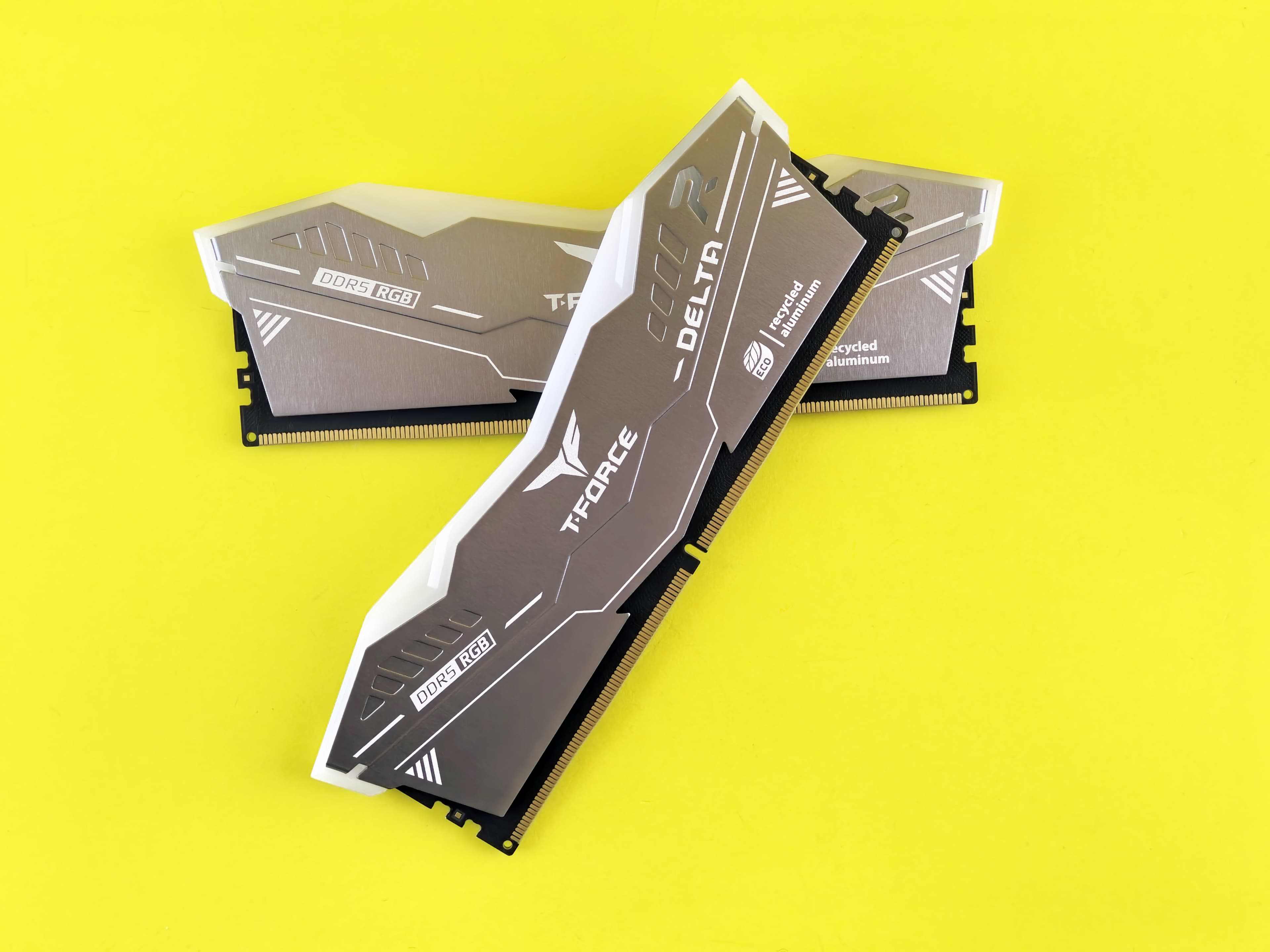
I've seen this question answered badly more times than I can count. Most articles either say “yes, get 32GB” without explaining why, or hedge so hard they say nothing useful at all. The real answer is that 32GB RAM doesn't raise your average FPS — not in most games, not meaningfully. What it does is eliminate a specific type of stutter that only shows up in certain game types, under certain conditions. If you're playing the wrong games to notice it, the upgrade is dead money. If you're playing the right ones, you'll feel the difference immediately. Here's exactly how to tell which camp you're in.
The data from January 2026 benchmarks makes the split unusually clear: six out of eight major titles show no meaningful difference between 16GB and 32GB on average FPS. The remaining titles — and a handful of specific game types — tell a completely different story. The stutter they produce doesn't come from average FPS at all. It comes from floor collapses that average FPS benchmarks completely hide.
What This Guide Covers
1. The Direct Answer
Yes, 32GB RAM is worth it — but the reason is not average FPS. This point is critical because every benchmark video that tests 16GB vs 32GB leads with average FPS, and average FPS tells you almost nothing about why 32GB matters. In NoobFeed's January 2026 benchmark (RTX 5080 / RX 9070 XT at 1440p), Call of Duty Black Ops 7 averaged 166 fps on 16GB and 177 fps on 32GB — a difference of under 7%. In Cyberpunk 2077, both configurations returned exactly 145.5 fps. That's not a rounding artifact; that's genuinely identical performance at the average FPS level. TechSpot's January 2026 benchmark ran eight modern titles across 16GB, 32GB, and 64GB configurations and found that Black Myth: Wukong, Stalker 2, Marvel Rivals, Expedition 33, Borderlands 4, and Battlefield 6 all performed identically between 16GB and 32GB. If average FPS were the whole story, 32GB would be very difficult to justify at current prices.
The benefit is stutter elimination. When a game — or a game combined with background apps — exceeds your available RAM, Windows begins paging data to your SSD. That event doesn't show up as a lower average FPS. It shows up as a sudden frame-time spike that makes the game feel broken for half a second while the system catches up. 32GB removes the ceiling that triggers those spikes.
The verdict splits cleanly by game type: if you only play competitive or esports titles — Valorant, CS2, Apex Legends, League of Legends — 32GB is not worth buying at any price. These games don't put enough pressure on 16GB to trigger the problem 32GB solves. If you play poorly-optimized AAA games, memory-hungry open-world titles, or Unreal Engine 5 releases, 32GB eliminates the stutter that average FPS benchmarks will never show you.
One honest caveat: this article would have given you a simpler answer in 2024. At current DDR5 prices — $375 or more for a 32GB kit as of June 2026, up from around $100 in mid-2025 — the upgrade math looks very different depending on your platform. The platform you're on matters as much as the game you play when deciding whether to upgrade right now.
2. The Data: What Benchmarks Actually Show
The best proof of what 32GB actually does is a result that looks backwards at first: in Arc Raiders, NoobFeed's January 2026 testing found that 16GB averaged higher FPS than 32GB — 152 vs 143.6. If that were the whole picture, 16GB would look like the better option. But 32GB had over 20 fps better 0.2% lows and significantly stronger 1% lows. The 16GB system was posting a higher average because it was racing through moments where it had enough headroom, then hitting the RAM ceiling and recovering. The 32GB system ran at a consistently lower average that was smooth throughout. Average FPS hid the entire story.
The 1% lows are what gameplay actually feels like. An average FPS of 152 with frequent floor collapses to 40–50 fps during recovery events feels worse than a consistent 143 fps with no floor collapses. This is the core of why 32GB matters — and why benchmarks that only report averages miss the point entirely.
The TechSpot benchmark confirmed the same pattern across its full game list. Most titles managed gracefully within 16GB despite using more when available: Stalker 2 peaked at around 17GB on the 32GB configuration but performed identically at 16GB. Marvel Rivals drew up to 18GB when available but showed no difference across configs. Clair Obscur: Expedition 33 peaked at 13GB used — 16GB was more than enough. Borderlands 4 and Battlefield 6 were fine on 16GB even with Battlefield occasionally touching 14GB during sessions.
The exception was Mafia: The Old Country. TechSpot found it required approximately 20GB for a smooth experience, making it the first major tested title where 16GB was genuinely insufficient: “frame times become erratic, traversal stutter is frequent, and the experience degrades noticeably.” That's a different category from every other title on the list.
Outside of general-purpose benchmarks, NoobFeed's dedicated Microsoft Flight Simulator 2024 test (conducted in August 2025 on a Ryzen 5800X3D and RTX 4080 Super) found that with 16GB, stuttering during landings and taxiing at detailed airports was frequent and coincided directly with control inputs like throttle adjustments. With 32GB, the stuttering completely disappeared. Average FPS did not increase significantly. The benefit was entirely in 1% and 0.1% lows — the exact same pattern the Arc Raiders data shows. Star Citizen produces the same result: PC Gamer's 2026 testing found 32GB delivers better minimum FPS and measurable stutter reduction compared to 16GB, while Hogwarts Legacy — a well-optimized title by contrast — ran fine on 16GB without issue.
3. Why RAM Runs Out Even When Games “Only Need 16GB”
Two mechanisms cause 16GB systems to run out of RAM in games that officially list 16GB as their requirement. Understanding both explains why the problem catches people off guard.
The first is OS and background overhead. Windows 11 consumes 5–7GB at idle depending on your installed software and background services. That leaves roughly 9–11GB available for gaming on a 16GB system before the game even launches. Many modern titles use 13–18GB when that memory is available, but most manage gracefully when constrained to 9–11GB by deprioritizing certain assets. The problem surfaces when background apps reduce that pool further. Discord, a browser with a few tabs, RGB control software, a game overlay — each takes another slice. A typical background load of 2–3GB on top of Windows overhead leaves the game competing for as little as 7–9GB. That's when paging starts.
The second mechanism is less obvious and catches more people off guard: VRAM overflow. When a GPU runs out of video memory — an 8GB card running 1440p with high textures and ray tracing is a common scenario — excess texture data spills into system RAM. A game that draws 10GB of system RAM and needs 3–4GB of VRAM overflow is now putting 13–14GB of demand on your system memory before Windows overhead is even counted. On a 16GB system, paging starts immediately. On a 32GB system, that overflow is absorbed cleanly. The game's official specification doesn't list this because it's a secondary demand that depends entirely on your GPU and settings.
What happens when the pagefile kicks in
When RAM is exhausted, Windows moves the least-recently-used data to the SSD. DDR4 RAM operates at 40–50 GB/s. An NVMe SSD reads at 3–7 GB/s for random access — 10–50× slower. When the game needs data that's been paged out, it has to wait. A game averaging 80 FPS can burst-drop to sub-30 FPS during that wait. The result isn't a smooth lower frame rate. It's an irregular stutter: the kind where the game appears to freeze for half a second and then catch up. This is exactly why paging events don't show up in average FPS numbers at all.
Monster Hunter Wilds illustrates both mechanisms simultaneously. Capcom's official PC specification lists 16GB as both minimum and recommended RAM. But player-reported peak usage on 32GB systems reaches 20.9GB in demanding areas, according to Steam community reports, with consistent accounts of 16GB systems maxing out and stuttering in the same areas. [VERIFY: MH Wilds controlled 16GB vs 32GB benchmark — player reports confirm issue but no controlled test found; cite Steam forum with hedging language] — no independent controlled benchmark has isolated the issue yet, but the pattern in community reports is consistent enough that I wouldn't build a system for Wilds on 16GB.
4. When the Answer Changes: The Game-Type Decision Framework
Rather than a blanket yes or no, the right answer comes from matching your game type to a verdict. These categories cover the majority of gaming situations, and each one produces a clear ruling.
Competitive and esports titles — Valorant, CS2, Apex Legends, League of Legends
32GB makes no difference. Competitive and esports games are designed to run on broad hardware and their RAM usage reflects that — typically 3–5GB per session. Even with Windows overhead eating 5–7GB, a 16GB system has a comfortable buffer. I've run these games on 16GB systems with Discord and Spotify both active and Task Manager never breaks 70%. Save the money.
Well-optimized AAA titles — Cyberpunk 2077, Black Myth: Wukong, Stalker 2, Expedition 33, Battlefield 6
16GB handles these. TechSpot tested all five in their January 2026 benchmark and found no meaningful difference between 16GB and 32GB configurations. Some of these titles use 17–18GB when that memory is available, but they manage their memory budget gracefully when constrained — which is exactly what good optimization looks like. Cyberpunk 2077 returning identical 145.5 fps averages across configs is the clearest example: a large open-world game that has been actively tuned to function well within 16GB. These titles don't justify a 32GB upgrade on their own.
Poorly-optimized or memory-hungry AAA titles — Mafia: The Old Country, Monster Hunter Wilds, MSFS 2024, Star Citizen
32GB is either officially required or player-verified as making a meaningful difference. Mafia: The Old Country officially recommends 32GB for 1440p High settings and requires it for 4K Epic — the developer explicitly acknowledges that 16GB is insufficient at target quality levels. TechSpot found it needs approximately 20GB for smooth performance, and the frame time degradation at 16GB is severe enough to make the game genuinely unplayable in certain areas. MSFS 2024 stuttering during landings and airport taxi disappears completely on 32GB with no change to average FPS — a clean, repeatable result. Star Citizen officially recommends 32GB. Monster Hunter Wilds peaks at 20.9GB in player testing. If this describes your game library, 32GB is not future-proofing. It's solving a current problem.
8GB VRAM GPU users at 1440p with high textures or ray tracing
Even if your game library is mostly well-optimized titles, 32GB addresses a separate problem if you have an 8GB VRAM card running 1440p at high settings. VRAM overflow happens before you're aware of it: the GPU fills its 8GB of video memory, spills excess texture data into system RAM, and that spill stacks on top of the game's regular system RAM usage. A game using 10GB of system RAM and needing 3GB of VRAM overflow is now demanding 13GB of system memory before Windows overhead is included. On a 16GB system, paging starts. On a 32GB system, that overflow is absorbed without issue. This isn't a substitute for more VRAM — the GPU is still the real limit for image quality — but 32GB stops the stutter cascade that VRAM overflow triggers on 16GB systems.
Streamers running OBS alongside gaming
32GB is worth it here regardless of which games you play. OBS consumes 1–3GB depending on encoding settings and stream bitrate. If you're gaming on a modern AAA title that draws 13–16GB of system memory while live, you're already at or past the 16GB ceiling. The result is dropped frames and encoding errors — not because the CPU or GPU can't handle the work, but because memory pressure forces the encoder to wait. 32GB removes that constraint entirely and lets you run the game, OBS, Discord, and a browser tab simultaneously. If you stream regularly and play anything more demanding than esports titles, this is one of the clearest use cases for 32GB I know of.
5. The Price Calculation: Is It Worth It Right Now?
The upgrade math splits by platform, and the split is significant enough to produce two different answers.
DDR4 users on AM4 or older Intel platforms are looking at $180–$220 for a 32GB kit today. That stings compared to October 2025, when the same kits were $60–$90. Prices jumped to $150–$180 by January 2026 and have stayed elevated. Ramseeker's 2026 pricing analysis notes that DDR4 supply is drawing down from existing stock rather than new manufacturing — no new consumer DDR4 production is planned, so this isn't a price that normalizes. In absolute terms, though, $180–$220 for a meaningful performance improvement in memory-hungry titles is not unreasonable. If you're playing Mafia: The Old Country on 16GB and experiencing the frame time degradation TechSpot documented, $200 to fix it is defensible. [VERIFY: current DDR4 32GB street price Newegg, June 2026]
DDR5 users face a materially different calculation
Tom's Hardware's pricing data puts the floor at $375 for a DDR5 32GB kit as of June 2026. That was closer to $100 in mid-2025 and briefly fell to $190–$220 in early May 2026 before climbing again. [VERIFY: current DDR5 32GB street price Newegg, June 2026] At $375+, I'd only recommend the upgrade if you're actively experiencing RAM-pressure stutter in one of the titles listed above. Future-proofing is not a justification at these prices — not when the stutter benefit is identical whether you pay $200 or $375.
The cause is structural. AI data centre demand for HBM memory has pulled wafer manufacturing capacity away from conventional DRAM. Price relief isn't expected structurally until late 2027. This isn't a temporary shortage that corrects in six months; it's a multi-year supply constraint. Waiting for prices to fall is not a plan with a clear payoff date.
The Steam Hardware Survey tells the same story from the demand side. In August 2025, 32GB configurations accounted for 36.46% of Steam users versus 41.88% on 16GB. By December 2025, 32GB had climbed to 39.07% while 16GB sat at 40.14% — within 1% of parity. Then came the price spike. The March 2026 survey saw 32GB drop back to 36.62% while 16GB jumped to 40.97%. Gamers are already responding to the price environment by deferring the upgrade. That's a rational response at DDR5 prices; it's a closer call on DDR4.
6. What to Do If RAM Is Your Bottleneck Right Now
If you're experiencing stutter and want to confirm whether RAM is actually the cause before spending anything, the diagnostic takes two minutes. Launch the game that's causing problems, play until you've reproduced the stutter, then Alt+Tab to Task Manager and go to Performance → Memory. Two signals tell you what you're dealing with.
Signal one: if memory usage is consistently above 90% during the stutter, RAM pressure is your problem. The system is hitting the ceiling and paging. Signal two is specific to VRAM overflow: if system RAM usage spikes abruptly by 3–5GB while gaming — even though you haven't launched any new applications — your GPU is running out of VRAM and spilling into system memory. Both patterns produce irregular stutter rather than a smooth lower frame rate. That's the key tell that separates RAM pressure from other causes. If memory is sitting at 60–70%, RAM is not your problem and 32GB will make no difference.
Before buying anything, try the free fixes first. Check whether you're running dual-channel: Task Manager → Memory → “Slots used.” If it shows 1 of 2 or 1 of 4, you're running a single stick in single-channel mode. Adding a matched second stick doubles your memory bandwidth and improves 1% lows in bandwidth-sensitive titles without any capacity cost. I've had cases where what appeared to be a capacity problem was actually a bandwidth problem in disguise — switching from single to dual-channel resolved the stutter without touching total RAM. Check your existing stick's model number in CPU-Z before ordering so you match brand, speed, and timings.
Also verify that XMP (Intel) or EXPO (AMD) is enabled in your BIOS. RAM ships defaulting to 2133MHz regardless of its rated speed. If your 3200MHz or 3600MHz DDR4 is running at 2133MHz, you're leaving significant memory bandwidth on the table. Enabling XMP/EXPO is a BIOS toggle that takes five minutes and costs nothing. Run through this before concluding you need more RAM.
If you've confirmed RAM capacity is the actual bottleneck and you're ready to buy: get a matched pair — 2×16GB, not a single 32GB stick. A single 32GB stick runs in single-channel and delivers the capacity without the bandwidth benefit. Two 16GB sticks give you both. The full RAM upgrade compatibility checklist covers DDR4 vs DDR5 identification, slot configuration, and XMP/EXPO setup — worth running through before ordering anything to confirm compatibility.
If stutter is happening but RAM isn't the culprit — memory usage under 80%, no sudden VRAM overflow spikes — the issue is likely the GPU. The RAM vs GPU upgrade decision guide walks through exactly how to confirm which component is the limiting factor and what to do about each.
Frequently Asked Questions
Does 32GB RAM increase FPS?
Not meaningfully in most games. In controlled benchmarks, average FPS between 16GB and 32GB is often within a few percent — and in some games like Cyberpunk 2077, the difference is literally zero. What 32GB actually improves is frame consistency: 1% lows and 0.1% lows are noticeably better in memory-hungry titles, which translates to fewer stutters and a smoother feel even when the average FPS number looks the same. If you're chasing a higher average FPS, your money is better spent on a GPU upgrade.
Is 16GB RAM still enough for gaming in 2026?
For most games, yes. TechSpot's 2026 benchmark across eight modern titles found that Black Myth: Wukong, Stalker 2, Cyberpunk 2077, Expedition 33, and Battlefield 6 all ran identically on 16GB and 32GB. The ceiling is getting lower, though — Mafia: The Old Country is the first mainstream title where 16GB is genuinely insufficient at its recommended settings, and Monster Hunter Wilds pushes past 16GB in reported real-world usage. If you play well-optimized titles and keep your background apps clean, 16GB is still viable. If you play heavily unoptimized open-world games or stream while gaming, you're increasingly at the limit.
How do I know if RAM is causing my stutter?
Open Task Manager during a gaming session and go to Performance → Memory. If your memory usage is consistently above 90%, RAM pressure is the likely cause of your stutter. A second signal is specific to VRAM overflow: if your system RAM usage spikes abruptly by 3–5GB while gaming — even though you haven't opened new apps — your GPU is running out of VRAM and spilling data into system memory. Both of these will cause irregular stutter rather than a smooth lower frame rate, which is the key tell. The fix for the first is more RAM; the fix for the second is either more RAM (to absorb overflow) or reducing GPU texture quality settings.
Is 32GB RAM worth it for gaming at 1440p?
At 1440p specifically, two factors push toward 32GB. First, 1440p at high texture settings is where 8GB VRAM cards start overflowing into system RAM — and if your system only has 16GB, that overflow triggers stutter. Second, 1440p is where the poorly-optimized AAA titles (Mafia: The Old Country officially recommends 32GB at 1440p High) are most likely to hit 16GB limits. If you're gaming at 1440p with a newer GPU that has 12GB or more VRAM, the case for 32GB is more about future-proofing than immediate need. If you're gaming at 1440p with an 8GB VRAM card, 32GB RAM is a genuine performance fix.
Should I wait for RAM prices to drop before upgrading to 32GB?
The honest answer is that relief isn't coming soon. DDR5 prices are structurally elevated by AI demand diverting wafer capacity, and analysts don't expect meaningful drops until late 2027. DDR4 is in a different situation — no new consumer DDR4 is being produced, so available stock is finite and prices are unlikely to drop either. If 32GB is the right upgrade for your use case (you're experiencing stutter in memory-hungry titles), waiting is not a strategy with a clear payoff. If 32GB is more of a “nice to have” upgrade for your current game library, the money is better spent elsewhere right now.
Does 32GB RAM help with streaming and gaming at the same time?
Yes, this is one of the clearest use cases for 32GB. OBS typically consumes 1–3GB depending on your encoding settings and bitrate. If you're gaming on a title that uses 13–16GB of system memory — which covers most modern AAA games — you're already at or past the 16GB ceiling the moment you go live. 32GB removes that constraint entirely and lets you run the game, OBS, Discord, and a browser without having to close anything. If you stream regularly and play modern titles, 32GB is worth it regardless of your game type.
What to Read Next
- Upgrade RAM or GPU First? → For readers who confirmed RAM isn't the bottleneck and are now weighing a GPU upgrade instead.
- Should You Upgrade Your RAM? → For readers ready to upgrade who need the compatibility checklist — DDR4 vs DDR5 identification, slot count, dual-channel pairing, and XMP/EXPO setup.
- Is 16GB RAM Enough for Gaming in 2026? → For readers who want the floor question answered — the minimum RAM for gaming in 2026 and exactly when 16GB starts to break down.