Best GPU for 1440p Gaming in 2026Five cards tested across every budget — with a clear verdict for each.
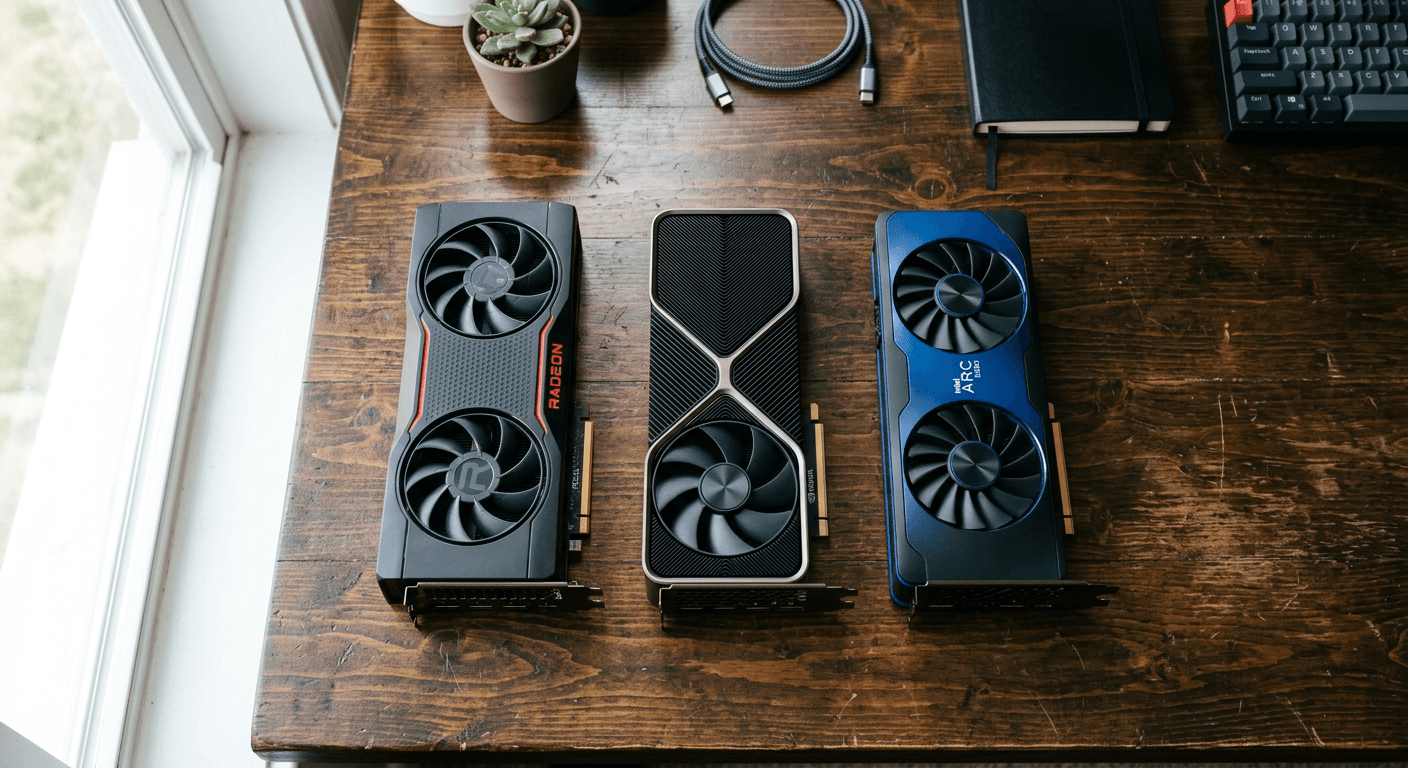
I've watched people spend $800 on a GPU they didn't need because the algorithm kept serving them flagship comparison videos. The honest answer for 1440p gaming in 2026 is messier and cheaper than that. The best GPU for your 1440p setup depends on three things: your budget, whether you use ray tracing, and whether you stream. Get those three answers right and the choice becomes obvious. Get them wrong and you either overpay by $300 or buy a card that'll feel dated in eighteen months. Here's what the benchmarks actually show — organized by budget tier so you can skip straight to what's relevant.
This guide covers five cards at four price points: the Arc B580 at $289, the RTX 5060 Ti 16GB at ~$399, the RX 9070 at ~$549, and the RX 9070 XT at ~$629 — plus a direct answer on why the RTX 5070 doesn't make the recommendation list at its current street price. Every benchmark cited comes from published third-party reviews. Every price is current street pricing from Newegg and Amazon as of late May 2026, not MSRP.
What This Guide Covers
- The 1440p GPU Market in 2026
- What 1440p Gaming Actually Demands
- Budget Pick: Intel Arc B580 (~$289)
- Best Value: RTX 5060 Ti 16GB (~$399)
- Quiet Overachiever: RX 9070 16GB (~$549)
- Best Overall: RX 9070 XT 16GB (~$629)
- What About the RTX 5070?
- DLSS 4 vs FSR 4 vs XeSS 2
- Which GPU Should You Actually Buy?
- Frequently Asked Questions
1. The 1440p GPU Market in 2026 — What's Actually Going On
The GPU market in mid-2026 is awkward in a specific way. NVIDIA's RTX 50-series launched with Blackwell architecture in early 2025 and the performance improvements are real — but so is the pricing pressure. AI inference workloads have consumed enough wafer capacity that gaming GPUs are being manufactured in smaller volumes, and the prices reflect that. TechSpot tracked RTX 50-series cards running an average of 18% above their launch MSRPs three months after release. That context matters for everything that follows.
The card most benchmarkers use as the 1440p reference — the RTX 5070 Ti — is genuinely excellent at what it does. It sits around $979 street right now, which puts it well beyond the budget of most PC builders. Below that tier, the market splits in a specific way: NVIDIA's RTX 5070 at $599–$635 street carries only 12GB of GDDR7, while every AMD competitor at the same price ships with 16GB. That's not a minor spec footnote — it's the central tension in the $550–$650 market and it shapes every recommendation in this guide.
AMD's RDNA 4 generation closed the ray tracing gap meaningfully versus RDNA 3 and dominates on frames-per-dollar in raster gaming at this price tier. The RX 9070 XT now trades blows with the RTX 5070 Ti in rasterization — with the latest Adrenalin 25.6.3 drivers, NotebookCheck measured it running approximately 3% faster than the 5070 Ti on average across 16 games at 1440p. The RX 9070 matches the RTX 5070 frame-for-frame at 1440p for $549. Intel's Arc B580, meanwhile, remains the only sub-$300 card with 12GB of VRAM — Intel wasn't squeezed by the same memory constraints that drove other cards above MSRP.
Here's where every card in this guide stands right now at current street pricing:
| Card | VRAM | TDP | Street Price |
|---|---|---|---|
| Intel Arc B580 | 12GB GDDR6 | 190W | ~$289–$303 |
| RTX 5060 Ti 16GB | 16GB GDDR7 | 180W | ~$399–$429 |
| RX 9060 XT 16GB | 16GB GDDR6 | ~150W | ~$390–$419 |
| RX 9070 16GB | 16GB GDDR6 | 220W | ~$549–$580 |
| RTX 5070 12GB | 12GB GDDR7 | ~250W | ~$599–$635 |
| RX 9070 XT 16GB | 16GB GDDR6 | 304W | ~$629–$670 |
There is no single best GPU for 1440p gaming — there are five, and the right one depends entirely on your budget and what you actually do with it. Under $300, the Arc B580's 12GB VRAM makes it the only sensible budget pick. At ~$400, the RTX 5060 Ti 16GB is currently below MSRP and the strongest deal in years for DLSS gamers. The RX 9070 is the quiet overachiever — 114 FPS average at 1440p for $549, matching the RTX 5070 while carrying 16GB VRAM. And the RX 9070 XT, when found near $629, is the best pure 1440p rasterization card money can buy right now without crossing into $1,000+ territory.
2. What 1440p Gaming Actually Demands From Your GPU
1440p means 2560×1440 pixels — 3.69 million pixels per frame versus 1080p's 2.07 million. That's a 78% increase in pixel count, which translates directly into higher VRAM demands, higher bandwidth requirements, and more GPU compute needed to hit the same frame rates. A card that runs Cyberpunk 2077 at a comfortable 80 FPS at 1080p might land around 52 FPS at 1440p with identical settings. This is why cards that were sufficient at 1080p often feel inadequate when you step up to a 1440p monitor without also stepping up the GPU.
The VRAM floor for 1440p gaming in 2026 is 12GB minimum, with 16GB strongly recommended if you want the card to stay relevant through 2028. Modern open-world titles and AAA releases are pushing 8–10GB of VRAM usage at high settings with texture packs loaded — 8GB cards regularly saturate and spill to slower system RAM, which shows up as stuttering rather than a steady frame-rate drop. The GPU upgrade guide has a full resolution-to-VRAM table if you want to see exactly where the thresholds fall. The short version: 12GB covers 1440p raster comfortably today, and 16GB gives you headroom for the next few years.
FPS target matters more than most people account for when choosing a card. A 60Hz monitor needs around 65 FPS sustained to feel smooth — headroom to absorb dips. A 144Hz monitor needs 100+ FPS to feel genuinely smooth; anything below 80 FPS on a 144Hz panel feels like wasted hardware. At 165Hz or 240Hz, you're relying on upscaling to fill those refresh rates in AAA titles — no card in this guide runs Cyberpunk at 240 FPS native 1440p. The four natural price breaks in this market — $289, ~$400, ~$550, ~$650 — roughly correspond to 60Hz comfort, 144Hz capable, 144Hz with headroom, and the 165Hz+ ceiling in most titles.
3. Budget Pick — Intel Arc B580 (~$289)
The Arc B580 shouldn't exist at $289. That's 12GB of GDDR6 on a 192-bit bus — the same VRAM as cards costing nearly twice as much — on Intel's Battlemage (Xe2) architecture with a 2.67GHz boost clock and a single standard 8-pin power connector. Intel made a specific bet when designing this card: sacrifice the raw performance ceiling for unusually high VRAM capacity at the budget tier. At $289, nothing else in this market comes close on VRAM.
In Cyberpunk 2077 at 1440p without ray tracing, the B580 hits 71–76 FPS on average, per NoobFeed's review. Aggregated 1440p data from HyperCyber places it between the RTX 3070 and the RX 6700 XT — a tier that was considered legitimately mid-range two years ago and still handles most titles at high settings. In competitive titles — Fortnite, CS2, Valorant — the B580 sits comfortably above 100 FPS at 1440p, which is exactly what you need to feel a 144Hz panel in esports. Two built-in AV1 encoders are worth flagging for streamers on a tight budget: the B580 delivers encoding quality that punches well above its price, matching what you'd get from an NVENC card.
The caveat here is serious enough that it's a dealbreaker for some buyers. TechSpot's January 2025 re-review found performance drops of 29–50% in certain titles when the B580 was paired with a Ryzen 5 5600 versus a Ryzen 9 9800X3D. This is a CPU sensitivity issue specific to Intel's Arc architecture — it performs worse with older or lower-end processors in CPU-limited scenarios, particularly at 1080p. At 1440p, the gap narrows because the GPU workload dominates more heavily, but it doesn't disappear entirely. If your CPU is a Ryzen 5 5600, an Intel 10th-gen, or anything older than that, the B580 is a risky choice. Paired with a mid-range modern CPU — Ryzen 5 7600 or better — the issue largely resolves.
Intel's XeSS 2 upscaling is functional and has improved since launch, but it carries narrower game support than DLSS or FSR. You won't find XeSS in every title the way you'll find FSR. The B580 is the right pick for someone upgrading from a GTX 1060 or GTX 1660 on a tight budget who has a modern CPU. It's the wrong pick for anyone on an older CPU, or anyone who needs guaranteed ultra-settings performance across every major AAA release.
4. Best Value 1440p — RTX 5060 Ti 16GB (~$399)
Critical: only buy the 16GB variant
The RTX 5060 Ti also ships in an 8GB configuration at nearly the same price. The 8GB version is inadequate for 1440p in 2026 — it saturates VRAM in demanding titles and causes stuttering that the 16GB version doesn't experience. When ordering, confirm the listing explicitly says 16GB. The RTX 5060 (8GB) is also excluded from this guide for the same reason.
RTX 50-series cards selling at or below their MSRP is genuinely unusual in this market. The RTX 5060 Ti 16GB is currently available at around $399 on Newegg — below its $449 MSRP — which makes it one of the few Blackwell cards that isn't asking a premium. It runs on Blackwell architecture with 16GB of GDDR7 at 384 GB/s bandwidth, a 180W TDP, and a single standard 6-pin power connector. That 180W figure is the lowest power draw of any card in this guide — a meaningful advantage in small form factor builds and for anyone running a modest PSU. The 16GB GDDR7 matches the VRAM capacity of AMD cards costing $629+.
The benchmarks from TechSpot's review tell a clear story. Counter-Strike 2 at 1440p: 398 FPS average — 24% faster than the RTX 4060 Ti and on par with the RTX 4070. Cyberpunk 2077 at 1440p: 79 FPS, matching the RTX 4070. Dying Light 2 at 1440p: 66 FPS — 22% ahead of the 4060 Ti. Averaged across 20 games, the RTX 5060 Ti 16GB sits around 104 FPS at 1440p, roughly on par with the RTX 3070 Ti. That's enough to fill a 144Hz monitor in most titles, especially with DLSS Quality mode enabled.
DLSS 4 is this card's strongest argument over every AMD competitor at the same price. Multi Frame Generation can effectively double or triple frame rates in supported titles — a game running at 79 FPS native in Cyberpunk can push well past 150 FPS with MFG and DLSS Quality enabled. That's the difference between managing high settings and running ultra settings comfortably at 144Hz. No AMD card at this price tier has a comparable frame generation multiplier. NVENC AV1 is also worth the mention: for streaming to Twitch or YouTube at 1440p60, the quality gap between NVENC AV1 and AMD's encoder at low bitrates is visible to anyone watching. If you stream, the RTX 5060 Ti 16GB is the correct choice at this price.
The RTX 5060 Ti 16GB is the right pick if you're a DLSS user, a streamer, or building a small form factor system where the 180W TDP matters. If you don't care about DLSS or NVENC and you're purely chasing raw raster FPS per dollar, the RX 9070 at $549 delivers more frames — but it costs $150 more and draws 40W extra.
5. The Quiet Overachiever — RX 9070 16GB (~$549)
The RX 9070 doesn't get the attention it deserves because it doesn't have a good headline. It's not the cheapest, not the fastest, and not the most premium. What it is: the card that matches the RTX 5070 frame-for-frame at 1440p for $86 less, while carrying 16GB of VRAM versus the RTX 5070's 12GB. TechRadar's testing shows the RX 9070 averaging 114 FPS at 1440p, matched with the RTX 5070. It gets there without the 12VHPWR adapter and with a 220W TDP instead of the RTX 5070's ~250W. The market mostly hasn't priced in how good that trade-off is.
The VRAM comparison matters more than a spec sheet makes it look. The RTX 5070 runs 12GB of GDDR7 — fast memory but a limited pool. The RX 9070 runs 16GB of GDDR6 on a 256-bit bus at 640 GB/s bandwidth. At 1440p raster without heavy ray tracing, the bandwidth difference between GDDR6 and GDDR7 doesn't produce a visible performance gap. But the 4GB VRAM advantage matters when you're running texture-heavy open-world games at ultra settings with texture packs, or when next-gen console ports push VRAM budgets higher. GamersNexus found VRAM saturation on the RTX 5070 in heavy RT workloads at 4K — the RX 9070 doesn't hit that ceiling at 1440p.
GamersNexus called the RX 9070 "incredibly efficient" — and the numbers back that up. At 220W TDP versus 304W for the RX 9070 XT, the 9070 runs cooler, demands less from your case fans, and is noticeably quieter in most AIB configurations. It costs $80–$120 less than the XT and is only 9–12% slower across most games, per GamersNexus. That gap doesn't justify paying full price for the XT unless you're regularly gaming at 4K or want absolute settings maximums in every title. FSR 4 — AMD's first ML-based upscaler, which TechSpot found comparable to DLSS 4 Quality mode in most scenarios — rounds out the package.
The RX 9070 is the right answer if you game at 1440p, don't stream with NVENC, and don't want to spend $630+. It's the wrong answer if you regularly game at 4K, want the maximum settings ceiling in demanding titles, or use ray tracing as a primary rendering mode. For those use cases, the RX 9070 XT is worth stepping up to.
6. Best Overall 1440p — RX 9070 XT 16GB (~$629)
The RX 9070 XT is the strongest GPU value argument AMD has made at this price tier in years. It runs within 6% of the RTX 5070 Ti in most rasterization titles — a card at $979 street — at $629. In Cyberpunk 2077 at 1440p (raster), the 9070 XT hits 125 FPS and matches the RTX 5070 Ti exactly, per TechSpot's review. In Dragon's Dogma 2 at 1440p with RT enabled, it averages 103 FPS — tied almost exactly with the 5070 Ti, per GamersNexus. With the latest Adrenalin 25.6.3 driver update, NotebookCheck measured the 9070 XT running approximately 3% faster than the RTX 5070 Ti on average across 16 games at 1440p.
Keep an eye on flash sales. Newegg listed the PowerColor Reaper variant at $530 on May 25, 2026 — $100 below standard street price. These sales don't happen every week but they're not rare enough to ignore. If you can catch the 9070 XT at $530, it becomes arguably the best GPU value available regardless of price tier. Setting up a Newegg price alert before you commit to anything else is worth two minutes of your time.
The card carries 16GB of GDDR6 on a 256-bit bus at 640 GB/s, with the Navi 48 XTX die at 64 compute units and a 2.97GHz boost clock. Power draw is where you pay for the performance: 304W TDP, with real gaming loads measured between 264–311W and occasional spikes to 420W. Both AIB connectors are standard 8-pin — no 12VHPWR adapter needed — but you want a 750W PSU minimum to stay comfortable. AIB choice matters more at these power levels than on any other card in this guide; a Sapphire Nitro+ or PowerColor Red Devil will be noticeably quieter and cooler than a budget dual-fan model running the same die.
The ray tracing caveat is real. In Black Myth: Wukong with RT enabled at 1440p, the RX 9070 XT averages 30 FPS — approximately 60% behind the RTX 5070 Ti, per TechSpot. RDNA 4 closed the RT gap versus RDNA 3, but NVIDIA's hardware RT acceleration is still materially stronger in path-traced titles. If Cyberpunk 2077 RT Overdrive, Alan Wake 2 path tracing, or Black Myth: Wukong with RT on are central to how you game, the 9070 XT won't satisfy. For raster gaming — which is what most people play most of the time — nothing in this guide delivers more per dollar at this price point.
Driver stability: use the workaround
The RX 9070 XT has ongoing reports of driver timeout crashes tied to the Adrenalin software frontend. The fix: download and install the "Driver Only" version from AMD's website instead of the full Adrenalin package. Performance is identical — you only lose the Adrenalin overlay and tuning UI. AMD has been improving stability with each update, but as of May 2026 this workaround is still the recommended setup. Detailed reports at XDA Developers.
7. What About the RTX 5070?
The RTX 5070 isn't on the recommendation list — not because it's a bad card, but because its current street price makes no sense relative to its competition. At $599–$635 on Amazon, it costs the same as or more than the RX 9070 XT. The 9070 XT runs within 6% of the RTX 5070 Ti at rasterization. The RTX 5070 does not. For pure frame count at 1440p raster gaming, you're paying 9070 XT money for a card that loses to the 9070 XT — and doing it with 12GB of GDDR7 versus the AMD card's 16GB GDDR6.
At its $549 MSRP, the RTX 5070 would be a legitimate RX 9070 contender — 12GB GDDR7 versus 16GB GDDR6, with DLSS 4 Multi Frame Generation, NVENC AV1, and the full NVIDIA ecosystem as tiebreakers. That's a real trade-off worth discussing. But that discussion requires the card to be available at $549, and it isn't. Until street prices move meaningfully toward MSRP, the RTX 5070 fails the value test for a 1440p raster build.
If DLSS 4 and NVENC AV1 are features you specifically require — if you're a Twitch streamer who needs the best possible encoder, or a heavy DLSS MFG user for whom frame generation is a primary feature — the RTX 5070 is worth the premium over the RX 9070 XT. Those are genuine advantages AMD doesn't match. Outside of those specific scenarios, the math doesn't work at $635 street. Set a price alert and revisit if it drops toward $549.
8. Upscaling in 2026 — DLSS 4 vs FSR 4 vs XeSS 2
Upscaling is less make-or-break at 1440p than it is at 4K. At 4K, upscaling from a lower internal resolution is often the only way to hit smooth frame rates — native 4K rendering is still punishing even at this price tier. At 1440p on a 144Hz monitor, most of the cards in this guide already hit 100+ FPS native in a wide range of titles, which means you're often running DLSS or FSR in Quality mode for image sharpness rather than frame rate rescue. That context shapes how much weight you should give upscaling in your purchase decision.
DLSS 4, available on the RTX 5060 Ti and RTX 5070, is still the best upscaler available. The Transformer-based model produces sharper, more stable images than older DLSS versions, and Multi Frame Generation — which inserts multiple AI-generated frames between rendered frames — delivers 2–6x frame rate multipliers in supported titles. Game support is the widest of any upscaling technology. The NVENC AV1 encoder on RTX 50-series completes the package for streamers who need both high-quality upscaling and high-quality encoding in one card.
FSR 4, exclusive to RDNA 4 cards (RX 9060 XT, RX 9070, RX 9070 XT), is AMD's first ML-based upscaler — and it shows. TechSpot's testing found FSR 4 Quality mode comparable to DLSS 4 Quality mode in most titles, which is a significant jump from FSR 3's visible softening artifacts in motion. FSR 4 is also open source, meaning game support is wider than any proprietary technology — developers can implement it more easily and across more titles. What AMD still doesn't have is Multi Frame Generation at the same multiplication factor as DLSS MFG. That gap remains real, and it matters most in path-traced titles that specifically support it.
XeSS 2 on the Arc B580 is functional and has improved considerably since the early B580 launch, but it sits behind DLSS and FSR 4 in both image quality and game support. The B580's two AV1 encoders are its ecosystem strength — streaming quality matches what you'd get from NVENC. Upscaling on Arc is workable for most titles but not a reason to choose it over alternatives. The upscaling verdict: if you own an RTX 5060 Ti or RTX 5070, DLSS 4 is a meaningful feature that genuinely enhances your experience in a growing library of titles. If you own an RX 9070 or RX 9070 XT, FSR 4 is not a consolation prize anymore — it's legitimately good.
9. The Verdict — Which GPU Should You Actually Buy?
Here's the direct answer by scenario, with no hedging.
Tight budget, modern CPU: Arc B580 at ~$289. The only sub-$300 card with 12GB VRAM. Hits 71–76 FPS in Cyberpunk 2077 at 1440p and well above 100 FPS in competitive titles. This only works correctly if your CPU is Ryzen 5 7600 or newer, or Intel 12th-gen or newer — the CPU sensitivity issue is a real dealbreaker on older processors.
DLSS priority, streaming, or SFF build (~$400): RTX 5060 Ti 16GB — and only the 16GB variant. Currently available below its $449 MSRP at ~$399. Averages 104 FPS across 20 games at 1440p. Best-in-class streaming encoder at this price. 180W TDP makes it the easiest card in this guide to build around. DLSS 4 Multi Frame Generation is the decisive advantage over every AMD card at this price.
Best raster frames per dollar (~$549): RX 9070 16GB. Averages 114 FPS at 1440p — matching the RTX 5070 frame-for-frame with 4GB more VRAM at $86 less. 220W TDP versus 304W for the XT. If you game at 1440p and don't care about DLSS or NVENC, this is the quiet overachiever in this market.
Best outright 1440p GPU under $700: RX 9070 XT 16GB at ~$629. Within 6% of the RTX 5070 Ti at rasterization. Cyberpunk 2077 at 125 FPS. Currently 3% faster than the 5070 Ti on average with the latest drivers. Watch for flash sales near $530 on Newegg. Install Driver Only instead of the full Adrenalin package. For raster gaming at 1440p, nothing in this guide delivers more per dollar at this price point.
Ray tracing is your priority and you're willing to pay: Look at the RTX 5070 Ti. That card is covered in depth in the RTX 5070 Ti vs RX 9070 XT comparison — it's the right reference if you're making that decision. The short version: the 5070 Ti's hardware RT acceleration combined with DLSS 4 MFG is the most capable path-traced gaming setup available under $1,000.
Frequently Asked Questions
Is 12GB VRAM enough for 1440p gaming in 2026?
It depends on the card. The Arc B580 (12GB GDDR6) handles 1440p well today because its 192-bit bus is wide enough to feed the textures without saturation in most titles. The RTX 5070's 12GB GDDR7 is fast but shows VRAM saturation in heavy RT workloads at 4K. For pure 1440p without ray tracing, 12GB is fine in 2026. For 1440p with ray tracing-heavy titles, or if you want the card to last 3+ years without having to drop texture settings, 16GB is the safer choice. Every AMD RDNA 4 card in this guide ships with 16GB, which is a meaningful advantage.
Does the RX 9070 XT have driver problems in 2026?
Driver stability has been the 9070 XT's most consistent complaint since launch. The specific issue is with the Adrenalin software frontend — timeout crashes reported across Reddit and forums. The workaround is installing the "Driver Only" version from AMD's website instead of the full Adrenalin package. Performance with Driver Only is identical; you lose the Adrenalin overlay and tuning UI. AMD has improved stability with each update, but as of May 2026 it's still less rock-solid than NVIDIA's drivers. If a clean driver experience matters more than raw FPS per dollar, the RTX 5060 Ti or RX 9070 are both more stable options.
Is the RTX 5060 Ti good enough for 1440p 144Hz gaming?
Yes, with one condition — you need the 16GB variant, not the 8GB. The 16GB RTX 5060 Ti averages around 104 FPS at 1440p across a range of AAA titles, which is enough to fill a 144Hz monitor in most games with DLSS Quality enabled. In competitive titles like CS2, it hits 398 FPS at 1440p — more than you'll ever need at any refresh rate. The 8GB version is not recommended in 2026 — it runs out of VRAM in demanding titles and delivers an inconsistent experience that the 16GB version avoids entirely.
Should I buy the RX 9070 or RX 9070 XT?
If you're gaming at 1440p and don't push every setting to ultra in every title, the RX 9070 is the right answer. It matches the RTX 5070 frame-for-frame at 1440p, carries 16GB of VRAM, and costs $80–$120 less than the XT. The XT makes sense if you play at 4K, want the maximum headroom in demanding open-world titles at ultra settings, or can catch it on sale near $530 (which does happen). The 9–12% performance gap between them doesn't justify paying full price for the XT if your monitor is 1440p.
What PSU do I need for these cards?
This is covered in detail on the GPU upgrade compatibility page, but as a quick reference: the Arc B580 (190W) and RTX 5060 Ti 16GB (180W) work comfortably with a 550–600W PSU. The RX 9070 (220W TDP, but AIBs can draw more) needs at least 650W. The RX 9070 XT (304W TDP, real gaming load up to 311W) needs a minimum 750W PSU with a comfortable margin. None of these cards use the 16-pin 12VHPWR connector — they all run on standard 8-pin connectors, which means no adapter required for any PSU.
What to Read Next
- Should I Upgrade My GPU? → Before you order: confirm compatibility, measure case clearance, and clean your drivers.
- Upgrade RAM or GPU First? → Not sure if the GPU is even your bottleneck? Start here.
- Should I Upgrade My PC or Buy New? → If you're wondering whether upgrading makes financial sense at all.
- RTX 5060 Ti vs RX 9060 XT: Which Mid-Range GPU to Buy → The two main 1440p options under $500 — benchmarked, priced at today's street rates, and with a direct verdict on who should buy which.
- RX 9070 vs RTX 5070 head-to-head → A direct benchmark and price comparison if you've narrowed it down to these two specific cards.
- Does FSR 4.1 Make Your RX 7000 GPU Faster? → Still on RX 7000? Check whether AMD's free driver update already covers what you're looking for before buying a new card.
- Should You Buy a Used GPU Instead of New in 2026? → Before you pay current-gen prices, check whether a used last-gen card in this same tier gets you there for hundreds less.
- RTX 5060 Ti 16GB vs 8GB: Is the VRAM Upgrade Worth It? → If you've landed on the RTX 5060 Ti specifically, this breaks down exactly where the 8GB card falls behind by resolution before you pick a VRAM tier.