Do You Need a New PSU Before Your GPU Upgrade?The wattage table, connector check, and safety checklist to run before you buy
What This Guide Covers
Check two things before you buy a new GPU: whether your current power supply has enough wattage headroom, and whether it has the right native connector for that card. Most upgrade guides only tell you the first one. The table below gives you the official wattage figure for every current RTX 50-series and RX 9000-series card, but wattage alone doesn't catch the failure mode that actually shows up in incident reports: an old PSU forced onto a new GPU through a chained adapter.
Whether you actually need a new PSU comes down to two separate checks, not one: does your current unit have enough wattage headroom for your specific GPU, and does it have the right native connector for that GPU, or would you be relying on an adapter. A PSU can pass the wattage check and still be a real risk if it's forcing an adapter. That's the check most people skip, and it's the one behind most of the failure reports below.
1. The Direct Answer: What Wattage and Connector Your GPU Needs
Here's the official recommended PSU wattage and connector type for every current RTX 50-series and RX 9000-series card:
| GPU Model | Official Recommended PSU | Connector Type |
|---|---|---|
| RTX 5060 | 550W | 12V-2×6 (12VHPWR) |
| RTX 5060 Ti | 600W | 12V-2×6 (12VHPWR) |
| RTX 5070 | 650W | 12V-2×6 (12VHPWR) |
| RTX 5070 Ti | 750W | 12V-2×6 (12VHPWR) |
| RTX 5080 | 850W | 12V-2×6 (12VHPWR) |
| RTX 5090 | 1000W | 12V-2×6 (12VHPWR) |
| RX 9060 XT | 550W (AMD min. 450W) | 8-pin PCIe |
| RX 9070 | 650W | 8-pin PCIe |
| RX 9070 XT | 850W (AMD min. 750W, real-world draw runs higher) | 2×8-pin / 3×8-pin / 12V-2×6 depending on AIB card |
This is the manufacturer's recommended figure. Official minimums run lower, and heavy overclocking pushes higher (see the RX 9070 XT note below for where that gap actually matters). NVIDIA calculates its wattage figures on a Ryzen 9 9950X test system, so a mid-range CPU leaves more real-world headroom than the number implies.
The RX 9070 XT is the clearest case in this whole table of the official number not being the full story. AMD's own listed minimum is 750W, but independent testing measured board power at 304W with real-world draw exceeding 400W, and peak power excursions reported as high as 1029W (PC Guide, MSI blog). PC Guide and TechBenchPro both recommend 850W in practice, not AMD's stated minimum. Some factory-overclocked AIB cards, like the PowerColor Red Devil, list 900W minimums directly on the box. Treat AMD's 750W figure as a floor you shouldn't plan around, not a safe target.
2. The Checklist: Signs Your Current PSU Is Fine
All RTX 50-series cards use 12V-2×6 (the revised 12VHPWR), rated up to 600W through a single cable. The RX 9070 XT's connector varies by AIB partner: 2×8-pin, 3×8-pin, or native 12V-2×6. The most common failure point isn't raw wattage, it's an older ATX 2.x PSU that needs an adapter to run a modern GPU at all. ATX 3.0 and 3.1 units are built specifically for the transient power spikes modern GPUs pull. If all four of the following are true, you don't need to spend anything before your GPU arrives:
Signs Your Current PSU Is Fine
- →Its rated wattage meets or exceeds the table figure for the GPU you're buying.
- →It's ATX 3.0 or ATX 3.1, or it has a native 12V-2×6/12VHPWR cable, not an adapter bridging older connectors.
- →It's under about five years old and from a known brand: Corsair, Seasonic, be quiet!, EVGA, and similar.
- →It hasn't shown any signs of instability: no random shutdowns, no coil whine under load.
If all four hold, stop here. You don't need to buy anything, and there's no safety benefit to replacing a PSU that already clears every one of those checks.
3. The Checklist: Signs You Actually Need a New PSU
If two or more of these are true, budget for a new PSU before you order the GPU:
Signs You Actually Need a New PSU
- →Wattage falls short of the table figure for your GPU. Close doesn't count: under is under.
- →No native 12V-2×6/12VHPWR connector, meaning you'd need a chained adapter to run the new card.
- →It's old, from an unknown or generic brand, or non-modular with internals you can't verify.
- →It already runs hot, runs loud, or has had any past overcurrent or unexpected shutdown event.
Two or more of these and the math isn't close: an $80 to $140 PSU is cheaper than a returned GPU, a fried motherboard, or a melted connector.
4. The Real Risk Isn't Just Wattage. It's the Connector.
In 2025, the MODDIY community-tracked incident log recorded 88 cable-melting cases tied to 12VHPWR and 12V-2×6 connectors. 73% of those involved the 12VHPWR/12V-2×6 connector, and the remaining 27% involved older 8-pin connectors. The RTX 4090 was the single most-affected card at 23 cases, followed by the RTX 5090 at 15, with the RX 9070 XT appearing in 5.
The first AMD RX 9070 XT melting incident was traced to a 3×8-pin-to-12V-2×6 adapter paired with a PSU that was under the card's recommendation (TechPowerUp, Aug 2025). HWCooling.net's coverage from July 2026 confirms incidents have continued into 2026 even with the revised 12V-2×6 connector, which was specifically designed with shorter sense pins to catch partial seating.
The root causes are consistent across nearly every reported case: partial seating where the connector isn't fully clicked in, tight cable bends right at the plug (PSU makers recommend leaving about 35mm of clearance before the first bend), reused or daisy-chained older adapters, and PSUs that were already under-spec for the card before the adapter made it worse.
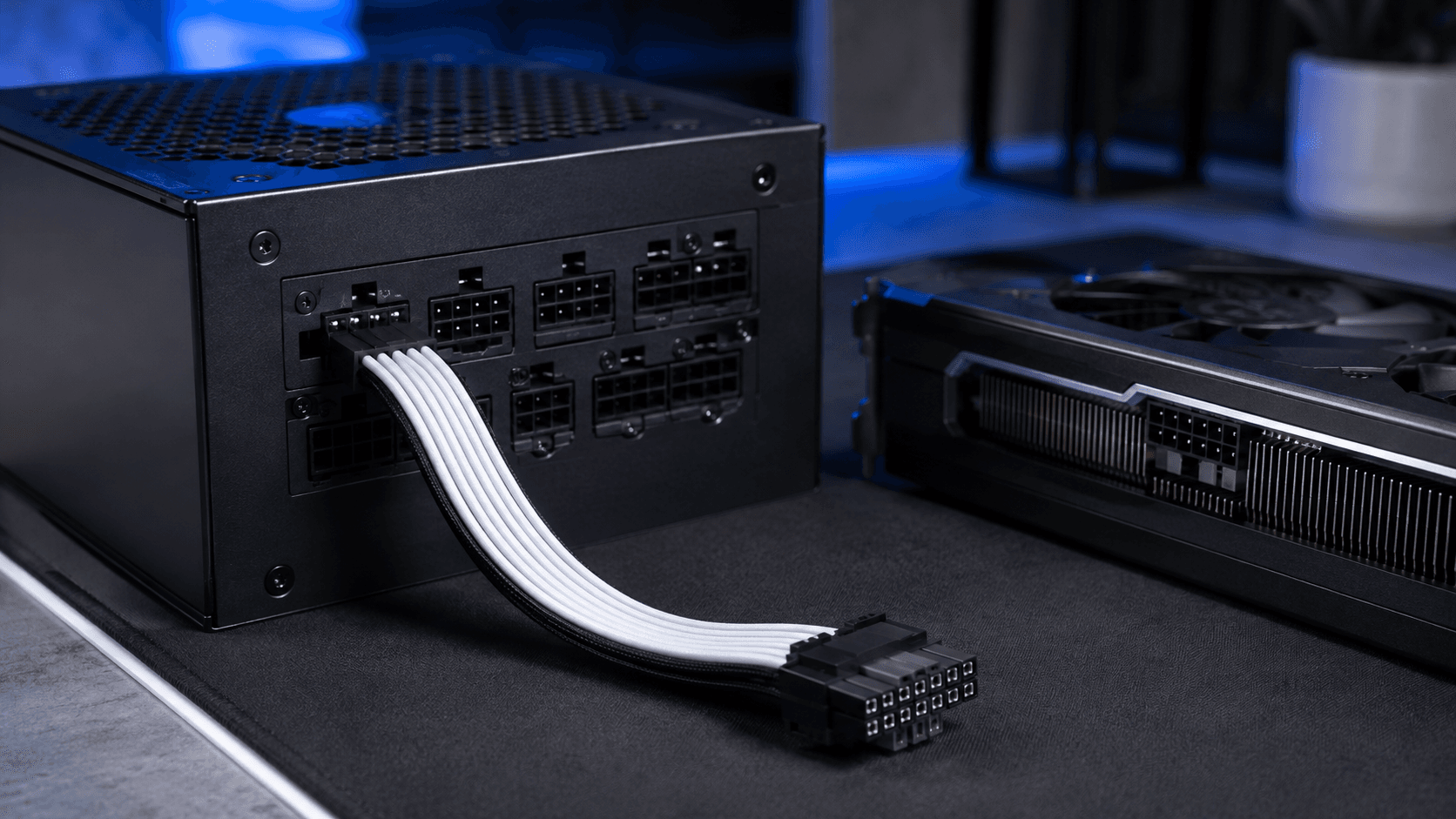
Native cable, not an adapter chain
Always use the native 12V-2×6/12VHPWR cable that ships with your GPU or your PSU. Never reuse an old 6+2 pin adapter chain from a previous build. Leave roughly 35mm of clearance before the first bend in the cable near the connector. A PSU that's genuinely rated for your card and provides its own native cable removes the single biggest variable behind these incidents.
5. If You Need a New PSU, Here's What to Buy
If Section 3 put you in new-PSU territory, here's what to buy by GPU tier, at current street prices, not MSRP.
RTX 5070 / RX 9070 tier: the Corsair RM650e (650W, ATX 3.1, native 12V-2×6, Cybenetics Gold) runs $79.99 on Amazon against a $104.99 list price. It matches the 650W table figure for both cards with no wasted capacity.
RTX 5070 Ti / RX 9070 XT tier: the Corsair RM750e, around $90, covers the 750W table figure for the RTX 5070 Ti. For the RX 9070 XT specifically, given the real-world draw gap covered above, step up to the Corsair RM850x at $139.99 (list $169.99, Newegg item #N82E16817139333) for the 850W the card actually needs in practice, not the 750W AMD lists as its minimum.
RTX 5090 tier: the be quiet! Pure Power 13M (1000W, ATX 3.1, fully modular) runs $119.92 at current Newegg value-tier pricing and matches the table's 1000W figure directly.
Buy the wattage the table says, not more. Extra headroom past about 150W over your card's figure is money spent on capacity you'll never use.
6. Common Mistakes People Make Here
- →Assuming enough watts means safe. Ignoring the connector check entirely is how a technically-sufficient PSU still becomes a melted-cable statistic.
- →Reusing an old 6+2 pin adapter instead of buying the native cable that came with the GPU or PSU.
- →Buying far more wattage than the table says "to be safe." Extra headroom past roughly 150W is money spent on capacity you'll never use, not extra safety.
- →Not checking a hand-me-down PSU's age or brand before reusing it in a new build. A five-plus-year-old unit from an unknown brand is exactly the profile behind most of the incident reports above.
The wattage check and the connector check are two separate questions. Passing one doesn't mean you've passed both, and the incident data above shows which one people skip.
Frequently Asked Questions
How do I find out what wattage my current power supply is?
Check the label on the side of the PSU itself. It lists the rated wattage directly, usually near the top. If your PC is prebuilt and you can't easily see the label, check the manufacturer's spec sheet for your exact model, since prebuilt PSUs often run lower wattage than a DIY build would use for the same GPU tier.
Can I use an adapter instead of buying a new PSU?
You can, but it's the single most common cause of connector melting reported in 2025 and 2026 incident logs. If your GPU needs a 12V-2×6/12VHPWR connector and your PSU only has older 8-pin connectors, the safer move is a native cable from a PSU that supports it directly, not a chained adapter pulling power through multiple older plugs.
What's the difference between 12VHPWR and 12V-2×6?
12V-2×6 is the revised version of the original 12VHPWR connector, with shorter sense pins designed to reduce partial-seating failures. Both carry up to 600W through a single cable and both are used interchangeably in current GPU specs, but 12V-2×6 is the safer, more recent revision found on all current RTX 50-series cards.
Is a higher-wattage PSU always safer than matching the recommended figure?
Not meaningfully, and it costs more for no real benefit. Once you're at or slightly above the official recommended wattage for your GPU, extra headroom beyond about 150W doesn't add safety, it just means paying for capacity you'll never use. The connector type and PSU quality matter more than extra watts past that point.
Do I need an 80+ Gold rated PSU, or is Bronze fine?
Gold is worth the small price difference for a GPU upgrade. It runs cooler and more efficiently under the sustained load a modern GPU pulls, and most currently available Gold units in the 650 to 850W range, like the ones referenced above, cost close to what a Bronze unit did a few years ago.
How much does a new PSU typically cost for a GPU upgrade?
For the RTX 5070/RX 9070 tier, expect around $80 for a quality 650W unit. Stepping up to the RTX 5070 Ti/RX 9070 XT tier runs closer to $90 to $140 depending on the model. A 1000W unit for an RTX 5090 currently runs around $120 for a solid value-tier option.
What to Read Next
- Should I Upgrade My GPU? For the full GPU upgrade decision framework once the PSU question is settled: bottleneck confirmation, VRAM by resolution, case clearance, and drivers.
- How to Upgrade Your PC For the physical installation steps, including where the PSU cables connect during a GPU swap.
- Why No New GPUs Are Launching in 2026 For context on why current-gen cards draw more power than previous generations, and what that means for your upgrade timing.