Ryzen 7 9800X3D: Is It Worth Upgrading Your CPU for Gaming?The answer depends entirely on what you're upgrading from — not what you're upgrading to.
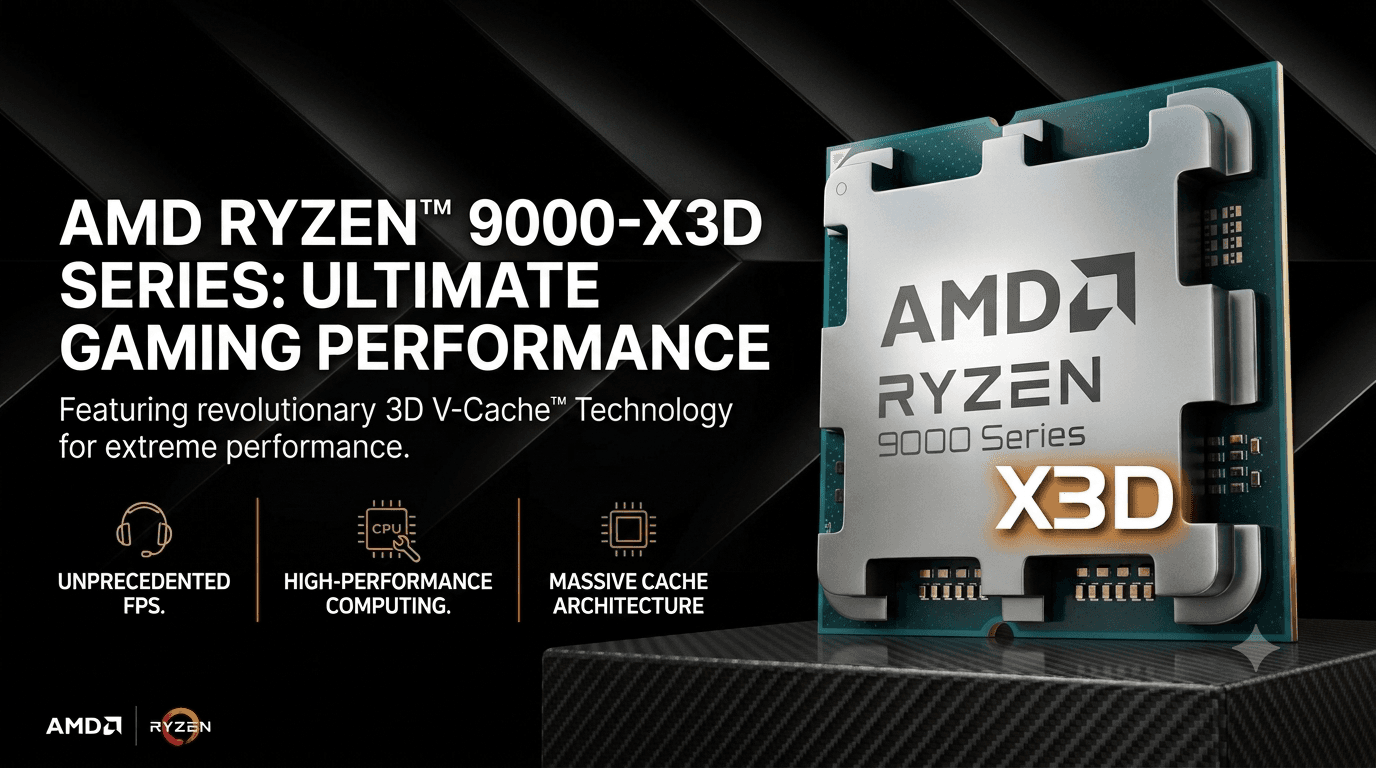
I've seen too many people spend $430 on a 9800X3D and then wonder why their 1440p framerate barely moved. Not because the chip is bad — it's the best gaming CPU you can buy — but because their GPU was already the bottleneck, and no CPU change fixes that. Whether the 9800X3D is worth it depends almost entirely on what you're upgrading from, not what you're upgrading to.
The chip has dropped from its $479 launch price to around $419–$430 on street, and with the 9850X3D still sitting $60–70 higher for roughly 3% more gaming performance, the 9800X3D now has the clearest value case it's had since release. But a good deal on a chip doesn't automatically mean the upgrade is right for your setup. Three distinct groups of people are asking this question and they each get a different answer.
What This Guide Covers
1. The Direct Answer
Three different people can ask whether the 9800X3D is worth it and get three completely different correct answers, because the question isn't really about the chip — it's about what's currently in your socket.
Zen 2 or Zen 3 users on AM4 (3600, 5600X, 5700X, and similar): Yes, with a real caveat. The 9800X3D doesn't fit your existing board — you're looking at a full platform rebuild. That means around $420 for the CPU, approximately $150 for a B650 motherboard, and approximately $200 for 32GB of DDR5, putting you at roughly $770 all in. Bundle deals can bring this to $620–650. That's a significant outlay, but the performance step and the upgrade runway you're buying into are both genuine. The math works best when you're also ready to upgrade the GPU at the same time — do the whole platform move at once rather than spreading the cost across two decisions.
Ryzen 5 7600 or 7600X users on AM5: Yes — and this is the cleanest case on the page. You're already on AM5. The 9800X3D drops into the same socket, uses the same DDR5 RAM you already have, and likely works with your existing board after a BIOS update. No new motherboard, no new RAM. The only cost is the chip. At 1080p with a high-refresh monitor playing competitive titles, the gains are substantial. At 1440p with a mid-range GPU, they're real but smaller. Either way, the ask is minimal.
Ryzen 7 5800X3D users: Probably not yet. You're on AM4. Switching to AM5 costs $350–420 in platform hardware before the CPU itself. The real-world gaming gains at 1440p and above are often modest — not because the 9800X3D is slow, but because your 5800X3D is good enough that the GPU hits its ceiling first. If your GPU is already showing its age, upgrade that first. The 9800X3D makes more sense as part of a complete platform rebuild, not as a standalone CPU purchase layered on top of an existing platform change.
2. What the 9800X3D Actually Is (and Why It's Different From Other Gaming CPUs)
The 9800X3D is an 8-core, 16-thread Zen 5 chip with a 4.7GHz base clock, 5.2GHz boost, 120W TDP, and 96MB of total L3 cache. That last number is the one that matters. Of those 96MB, 32MB is standard cache and 64MB is 3D V-Cache — a secondary cache die bonded directly on top of the processor using AMD's stacked silicon process.
The reason 3D V-Cache consistently produces the highest gaming frame rates of any CPU isn't clock speed — it's data access latency. Games repeatedly read from the same small sets of data: AI state, physics, frame tables, asset indices. The faster the CPU gets to that data without going all the way out to main RAM, the shorter the gap between frames. With 96MB of on-die cache, the 9800X3D keeps almost all of a game's working set in cache on every frame. RAM has plenty of bandwidth, but cache is fast enough that latency stops being a factor entirely. That's the mechanism behind the gaming lead, and it's why no amount of clock speed increase on a non-X3D chip fully closes the gap.
The inverted V-Cache design is worth understanding if you've owned an older X3D chip. In the original 5800X3D, the cache stacked above the compute die, which meant the cooler couldn't directly contact the heat-producing transistors. The 9800X3D flips that: cache goes below, compute die faces up toward the cooler. The result is meaningfully better thermals and higher sustained boost clocks without the compromises of the first-generation design.
The 9800X3D is also the first X3D chip AMD has made fully overclockable. Enabling PBO (Precision Boost Overdrive) can push it to approximately 5.4GHz in real-world gaming conditions — within striking distance of the 9850X3D's 5.6GHz boost clock, which matters a lot for the variant comparison in Section 6. And 8 cores is exactly what gaming needs in 2026: most titles don't benefit meaningfully from core counts beyond 8, so the 9800X3D doesn't sacrifice game performance for a higher core count the way a workstation chip would.
3. Scenario 1: Upgrading From Zen 2 or Zen 3 (AM4)
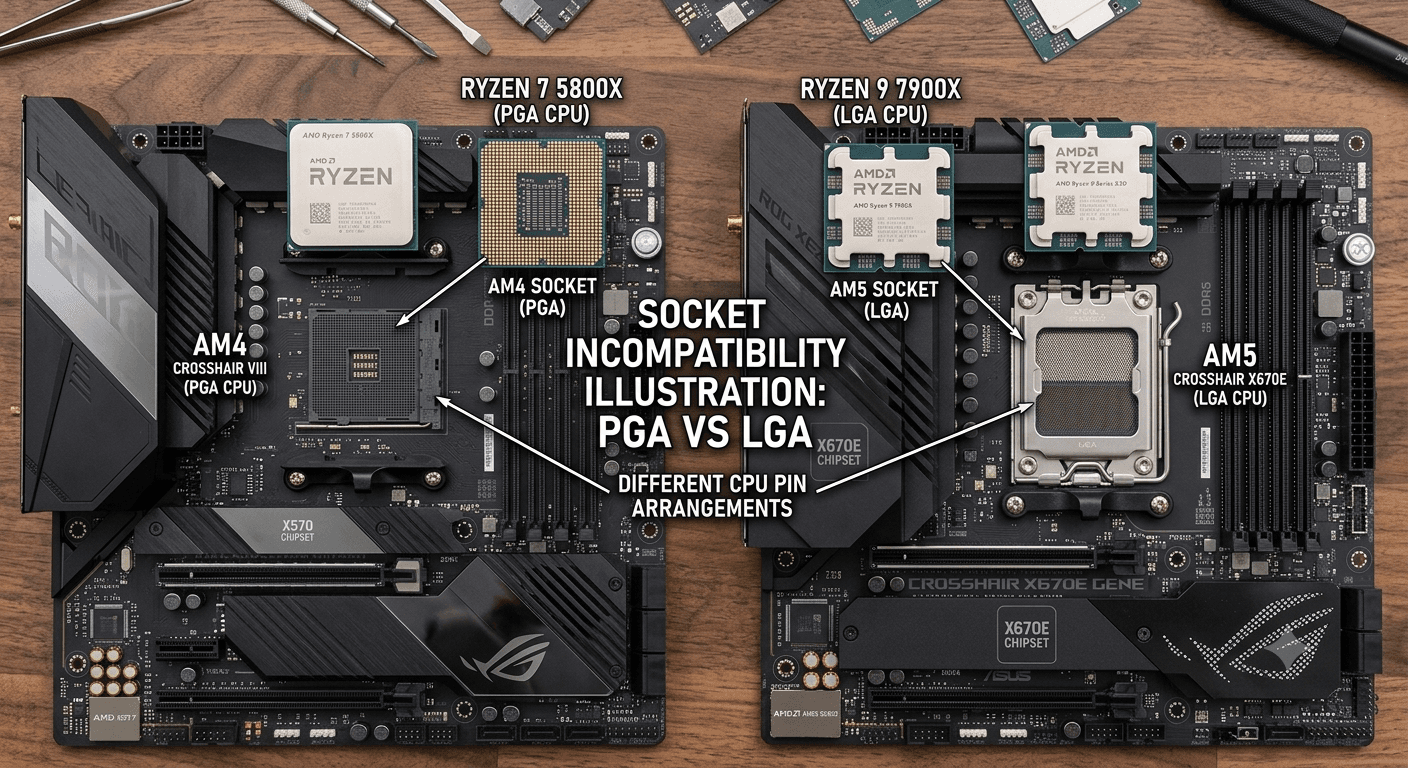
If you're on a Zen 2 chip — a 3600, 3700X, or 3800X — or a Zen 3 chip like the 5600X, 5700X, or non-X3D 5800X, this upgrade requires a full platform switch. AM4 and AM5 use different sockets. There's no adapter, no workaround — the 9800X3D physically will not go in your current board.
AM4 and AM5 are not compatible
You cannot install a Ryzen 9000 series CPU in an AM4 board, nor use DDR4 RAM with an AM5 system. AM5 requires DDR5 exclusively. The platform switch means a new motherboard and new RAM — no exceptions.
The realistic minimum cost for the switch: the 9800X3D at around $420, a B650 motherboard at roughly $150, and 32GB of DDR5-6000 at roughly $200. That totals approximately $770 before any bundling. Newegg and Amazon both run B650 + DDR5 bundle deals that can bring the board and RAM portion to $190–$230 combined, dropping the all-in cost to $620–$650. [VERIFY: current B650 + DDR5 bundle prices at time of publishing — check Newegg and Amazon.] One variable worth flagging: DDR5 prices have risen in 2026 due to AI datacenter demand pulling manufacturing capacity away from consumer memory. The $200 figure reflects current conditions but has been moving — check before you buy.
The performance step from Zen 3 (no V-Cache) to the 9800X3D is a combination of two things: the IPC uplift from Zen 3 to Zen 5, which is itself a meaningful architectural jump, plus the addition of 64MB of 3D V-Cache that a stock Zen 3 chip never had. In CPU-sensitive gaming scenarios, that combined improvement is real and visible — you're not just gaining a generational clock speed bump, you're gaining the cache advantage for the first time. In productivity, the gap is even clearer: the 9800X3D is 25% faster than the 7800X3D in Cinebench 2024 single-core performance per XDA's testing, and the 7800X3D is already well ahead of Zen 3.
The platform switch also buys you more than just the CPU. AM5 comes with PCIe 5.0 support for both GPUs and SSDs, DDR5 memory bandwidth, and AMD's publicly confirmed support window through at least 2027, with Zen 6 expected on the same socket. A B650 board bought today will accept a Zen 6 chip when it arrives without another motherboard purchase. AM4, by contrast, is end of line — there is no new AM4 CPU coming that will meaningfully improve gaming performance beyond what's already available. Once you're on AM5, you're on a platform with genuine upgrade runway.
Who this makes sense for right now: someone whose GPU is already at a level where the CPU can actually become a constraint — RTX 4070 Ti or better — and who games at 1080p or competitive 1440p. If you're running an RTX 3060 or RX 6700 XT at 1440p, the GPU is the limit regardless of what CPU feeds it. Upgrade the GPU first, then revisit the platform question once the GPU is no longer the obvious bottleneck.
4. Scenario 2: Upgrading From a Ryzen 5 7600 or 7600X (AM5, No Platform Change)
This is the cleanest upgrade case on the page. The Ryzen 5 7600 and 7600X are both AM5 chips — same socket, same DDR5 memory, same physical slot as the 9800X3D. In most cases you drop the new chip in, run a BIOS update, and you're done. No new motherboard, no new RAM required. The only cost is the 9800X3D itself at around $420.
The performance gap is largest at 1080p with a high-end GPU. TechSpot's CPU and GPU scaling benchmark suite found the 9800X3D running 37–40% faster than the 7600X in CPU-heavy competitive titles like Marvel Rivals and Rainbow Six Siege when paired with an RTX 5090 at 1080p. That's a meaningful gap in a scenario where frame rates matter most. At 1440p with a mid-tier GPU like the RTX 5080 or RX 9070, that gap collapses to 7–11%, per the same TechSpot data. Move to a GPU weaker than an RTX 5080 at 1440p and you're GPU-limited — the CPU difference becomes minimal.
In AAA single-player at 1440p ultra settings with a top-tier GPU, the 9800X3D runs 5–24% faster than the 7600X depending on the title, per TechSpot. With an RTX 5080 or weaker paired at 1440p, the results are often practically identical because the GPU saturates before the CPU becomes the constraint.
Who this is clearly for: anyone on a high-refresh 1080p monitor playing competitive shooters — CS2, Valorant, Marvel Rivals, Rainbow Six Siege — and anyone pairing a near-flagship GPU with a Ryzen 5 7600 at 1440p who wants to eliminate the CPU as a ceiling. The 7600 is a good chip, but it has no V-Cache, and in CPU-sensitive scenarios you're leaving real frames on the table.
Who can wait: someone gaming AAA titles at 1440p on an RTX 5080 or weaker. At that resolution and GPU tier, the GPU fills the frame budget before the CPU becomes the limit in most titles. The math on a $220–240 CPU premium doesn't work when the performance gap is 5% or less in your actual games at your actual resolution. Check whether your GPU is consistently at 95%+ utilization while gaming — if it is, the GPU is the bottleneck and the CPU upgrade won't change your experience.
5. Scenario 3: Upgrading From a Ryzen 7 5800X3D
This is the scenario most other articles get wrong, and I want to be blunt about it: for most 5800X3D owners gaming at 1440p or 4K, the 9800X3D upgrade isn't worth making right now as a standalone purchase. The performance gap is real. The platform cost is the problem.
The 5800X3D is AM4 DDR4. Getting to the 9800X3D means a full platform switch: a new AM5 motherboard at roughly $150 and 32GB of DDR5 at roughly $200, totaling $350–420 in platform hardware before the CPU itself. TechSpot's all-X3D comparison gives a sense of the performance gap — in Baldur's Gate 3, the margin between the 5800X3D and the 9800X3D is around 50%, making it one of the most CPU-sensitive titles in the benchmark. In other games the gap is smaller, with CPU-sensitive titles generally showing the 9800X3D ahead by 15–24% versus even the 7800X3D, and the 5800X3D trailing the 7800X3D further still.
But benchmark numbers tell the 1080p story. At 1440p and above, the picture is different — and this is where first-hand experience matters more than test charts. XDA's account of upgrading a 5800X3D to a 9800X3D noted that the most noticeable change was the 1% lows improvement, not average FPS. Frame pacing got smoother. Stutters in CPU-heavy scenes decreased. Average framerates at 1440p moved less than the benchmark data suggests because at 1440p the GPU was already hitting its ceiling on most titles. At 4K, per the same account, both chips performed identically — the GPU bottleneck is absolute.
Tom's Hardware revisited the 5800X3D in 2026 and confirmed it "maxes out what DDR4 platforms are capable of." That assessment is accurate. The 5800X3D has hit the ceiling of what AM4 can deliver for gaming. But that ceiling is higher than most people assume — for the majority of 5800X3D owners gaming at 1440p with a mid-tier GPU, the CPU is not the constraint. The GPU is.
My call on this one: if you own a 5800X3D and are thinking about your next upgrade, figure out whether your GPU is the constraint before you do anything else. If it is — and at 1440p with most current GPUs, it will be — upgrade the GPU first. Once you have a GPU that genuinely pushes the 5800X3D to its limit, the AM5 rebuild starts to make sense. At that point, do it as a complete platform rebuild: new board, new RAM, and the 9800X3D together. Spending $350–420 in platform hardware now just to move the CPU, on a setup where the GPU is already the bottleneck, is money that would produce a more visible result as a GPU upgrade.
6. Does It Matter Which Variant? (9800X3D vs 9850X3D)
The 9850X3D is the same chip with one meaningful change: the boost clock goes from 5.2GHz to 5.6GHz. Everything else — 8 cores, 96MB L3 cache, AM5 socket, DDR5 memory, 120W rated TDP — is identical. That 400MHz difference produces approximately 3.2% better gaming performance on average across a 16-game geomean, according to Tom's Hardware's direct faceoff (211.2 FPS vs 204.6 FPS). GamersNexus, in their 9850X3D review, called the two chips "at best 4% faster" and "sometimes identical" in gaming, and said they are "basically indistinguishable" in practice.
The power draw makes the efficiency ratio look even worse. During gaming workloads, the 9850X3D draws roughly 30% more power than the 9800X3D to deliver that 3.2% performance gain. You are paying a significant thermal and electrical premium for a result that most people won't perceive at all during normal gameplay.
Meanwhile, the 9800X3D with PBO enabled reaches approximately 5.4GHz in real-world gaming conditions — within 200MHz of the 9850X3D's rated boost, and often running at similar clocks during actual game sessions. Enabling PBO takes about five minutes in BIOS and requires no hardware changes. With PBO active, the practical gap between the two chips narrows to the point where the 9850X3D's advantage becomes unmeasurable in normal play.
Current street prices: 9850X3D at $458–491, 9800X3D at $419–430 — a gap of roughly $60–70. For 3.2% more gaming performance and 30% higher power draw, the 9850X3D is a difficult recommendation. The only scenario where it makes sense is if you want a better-binned chip without ever enabling PBO or touching BIOS settings. That's a legitimate preference if you want to keep things simple. But if you're comfortable with a single BIOS setting, the 9800X3D gets you 95% of the 9850X3D's gaming performance for meaningfully less money and power.
7. The Platform Investment Argument (Buying Into AM5 in 2026)
The ~$770 all-in cost for an AM5 platform switch looks different depending on how you frame it. As a CPU upgrade it's hard to justify. As a platform investment with a CPU included, it's worth thinking about what you're actually buying across the next few years.
AMD has confirmed AM5 socket support through at least 2027, with Zen 6 expected to land on the same socket. A B650 board bought today is the same board that takes a Zen 6 chip when it arrives — no additional motherboard purchase required. Compare that to AM4: the Ryzen 7 5800X3D Anniversary Edition is AMD's final meaningful AM4 gaming CPU. AM4 is end of line. There is no further AM4 upgrade path worth waiting for. For someone on Zen 2 or Zen 3 who wants three to five more years of CPU upgrade headroom without another platform change, the AM5 rebuild is the correct long-term move — you pay for the platform once.
The DDR5 situation is worth understanding clearly before you price anything out. DDR5 prices have risen significantly in 2026 — AI datacenter demand has been pulling manufacturing capacity away from consumer memory, and a 32GB kit that was heading toward $100 in mid-2025 now costs closer to $200. That's elevated relative to the trajectory DDR5 pricing was on. It may normalize over time. But once you've bought a DDR5 kit, you carry it forward to every future AM5 CPU — it is not a cost you pay again on the next upgrade cycle. The B650 board is the same story.
PCIe 5.0 is a secondary benefit that costs nothing extra on AM5. PCIe 5.0 SSDs and GPUs are now available at retail, and AM5 supports them natively. AM4 boards top out at PCIe 4.0 for most configurations. This doesn't matter for current gaming performance, but it removes a potential compatibility ceiling for high-end hardware purchases over the next several years.
8. The Verdict
To come back to where this started: whether the 9800X3D is worth it has almost nothing to do with the chip itself. At ~$420 it's one of the best purchases in gaming right now — the best gaming CPU available at a price that's lower than it's ever been. The question is whether your current setup is in a position to benefit from it.
If you're on Zen 2 or Zen 3 (AM4): yes, but budget for the full platform move — ~$620–770 all in. Don't try to do this piecemeal. The best time to make this move is when you're also ready to swap the GPU, so the new platform is actually unconstrained from day one. If your GPU is already current (RTX 4070 Ti level or better), the upgrade makes sense now. If your GPU needs replacing too, price both together and decide if the combined spend is right for where you are.
If you're on a Ryzen 5 7600 or 7600X (AM5): yes. This is the cleanest upgrade on the page. Check your GPU utilization first — if it's consistently at 95%+ during the games you care about, the GPU is the bottleneck and the CPU upgrade won't move your numbers. If you've confirmed the CPU is the constraint, drop in the 9800X3D and do the BIOS update. That's the whole process.
If you're on a 5800X3D: probably not yet. Your CPU is fine at 1440p and above for another year or two. Upgrade the GPU first. Once you have a GPU that genuinely pushes the 5800X3D to its limit, revisit the AM5 rebuild — but do it as a complete rebuild, not a piecemeal platform swap that costs $350–420 in new hardware to get a real-world improvement that's mostly visible in 1% lows rather than average FPS.
On the 9800X3D versus 9850X3D question: get the 9800X3D. The $60–70 premium on the 9850X3D buys approximately 3.2% more gaming performance at a 30% power penalty, and PBO on the 9800X3D closes most of that gap anyway. The only reason to pay for the 9850X3D is if you want the pre-binned chip without ever touching PBO settings yourself. That's a legitimate preference — it's not a performance argument.
Frequently Asked Questions
Is the Ryzen 7 9800X3D worth it at $420?
At $420, the 9800X3D is the best value it's ever been — it launched at $479 and the chip hasn't changed. Whether it's worth it for you comes down to what you're upgrading from. If you're already on AM5 with a Ryzen 5 7600 or 7600X, it's a straightforward CPU swap with meaningful gains, especially at high refresh rates. If you're upgrading from AM4, add $300–350 for a B650 board and DDR5 RAM — at that point it's a bigger investment, but one that also buys you years of upgrade runway on AMD's current platform.
Should I get the 9800X3D or 9850X3D?
The 9800X3D. The 9850X3D costs roughly $60–70 more and delivers about 3% better gaming performance, while drawing 30% more power to do it. GamersNexus found the two chips "basically indistinguishable" in practice, and the 9800X3D with PBO enabled hits similar real-world gaming clocks anyway. The 9850X3D is a fine chip, but you're paying for a binning result that matters at the margins, not in normal gameplay.
Can I upgrade to the 9800X3D without changing my motherboard?
Only if you're already on AM5. The 9800X3D uses the AM5 socket (the same as all Ryzen 7000 and 9000 series chips). If your current board is a B650, X670, X870, or B850, you can install the 9800X3D with a BIOS update and no other hardware changes. If you're on AM4 — any Ryzen 3000, 4000, or 5000 series — the socket is incompatible. You'll need a new AM5 motherboard and DDR5 memory alongside the CPU.
Does the 9800X3D help at 1440p and 4K, or just 1080p?
It helps most at 1080p, where the CPU is most likely to be the limiting factor. At 1440p, the gains depend on your GPU — with an RTX 5090 or similar top-tier card, you'll still see real improvements, especially in competitive and CPU-heavy titles. With a mid-tier GPU like the RTX 5080 or RX 9070, 1440p results are often GPU-limited and the CPU difference shrinks to a few percent. At 4K, virtually all games are GPU-bound and both chips perform the same. If you're gaming at 4K on anything below a flagship GPU, the 9800X3D upgrade won't change your framerates.
Is the Ryzen 7 5800X3D still good enough, or should I upgrade?
The 5800X3D is still genuinely competitive in most games, especially at 1440p and 4K where the GPU is the bottleneck. Tom's Hardware revisited it in 2026 and confirmed it maxes out what the DDR4 platform can do — and that ceiling still doesn't hurt most people. If you're seeing consistent stutters or low 1% lows in CPU-heavy games at 1080p or low-resolution competitive play, the 9800X3D would help. But the platform switch costs $350–420 in a new motherboard and DDR5 RAM alone. For most 5800X3D owners, upgrading the GPU first makes more sense — the CPU is rarely the culprit at typical gaming resolutions.
What to Read Next
- When to Upgrade Your CPU → Helps you confirm whether the CPU is actually your bottleneck before spending $420 — covers the MSI Afterburner diagnostic, platform cost math, and the socket guide for 2026.
- What to Upgrade First on Your PC → The full upgrade priority framework — if you're still unsure whether CPU, GPU, or RAM should come first given your use case and budget, start here.
- Should I Upgrade My GPU? → For 5800X3D owners who should upgrade the GPU first — covers the bottleneck check, VRAM requirements by resolution, and PSU compatibility before buying.